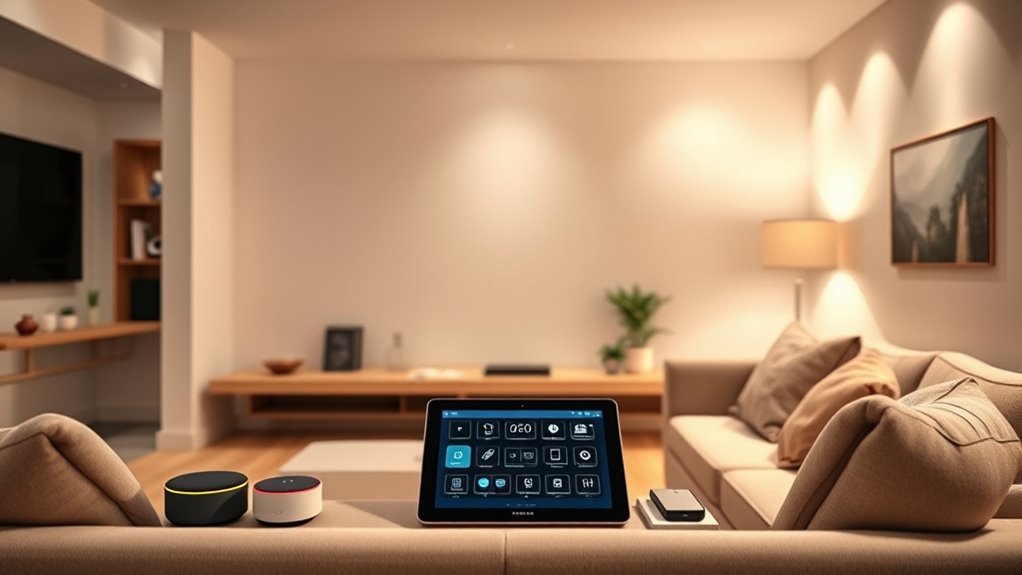

To set up a smart home ecosystem, start by researching devices that support common protocols like Zigbee or Z-Wave for better compatibility. Choose reputable brands with strong security features, and prioritize core devices such as lights, thermostats, and cameras connected through a central hub or voice assistant. Take your time, review privacy settings, and keep firmware updated to stay secure. If you keep exploring, you’ll discover how to create a seamless, secure smart home tailored just for you.

Get furniture and decor delivered free — and shop member deals
- Fast, free delivery on millions of items
- Access to Prime Big Deal Days deals on October 6–7
- Prime Video, Amazon Music and more included
Key Takeaways
- Research and select reputable, compatible devices that support common protocols like Zigbee or Z-Wave.
- Choose a central hub or voice assistant to simplify device management and improve interoperability.
- Prioritize core devices such as lights, thermostats, and security cameras for maximum value.
- Regularly update device firmware and review privacy settings to ensure security and data protection.
- Plan your network setup carefully to support multiple devices and prevent setup or compatibility issues.

Setting up a smart home might seem overwhelming at first, but with a clear plan, it becomes much easier to implement. The key is understanding what you want to achieve and knowing the hurdles you might face along the way. One of the most important considerations is privacy concerns. As you add more devices to your ecosystem, you’re sharing more personal data — from your daily routines to sensitive home information. To protect yourself, focus on choosing devices from reputable brands that prioritize security, and always update firmware regularly. Be cautious about the data each device collects and store, and review privacy settings to limit data sharing. Using strong, unique passwords for your accounts and enabling two-factor authentication adds an extra layer of security, giving you peace of mind while enjoying your smart home.
Device compatibility is another *vital* factor. Not every device plays nicely with others, which can turn setting up your smart home into a frustrating puzzle. Before making purchases, check whether devices support common protocols like Zigbee, Z-Wave, or Wi-Fi, and confirm that they work with your preferred hub or voice assistant. For example, if you’re invested in a particular ecosystem like Amazon Alexa or Google Assistant, ensure the devices you buy are compatible so you can control everything seamlessly from a single app or voice command. Building your system around compatible devices saves you time and effort, preventing the headache of trying to force incompatible products to work together.
Start by establishing a core group of devices that will serve as the foundation of your smart home. A smart hub or voice assistant can act as the central control point, so choose one that supports the ecosystem you prefer. Next, think about the rooms you want to automate and prioritize the devices that will deliver the most value — smart lights, thermostats, security cameras, or smart locks. As you add each device, verify that it’s compatible with your existing setup, and configure it carefully to *guarantee* privacy protections are in place. Keep in mind that some devices might require additional hubs or bridges, which could influence your overall setup. Additionally, understanding the role of protocols like Zigbee and Z-Wave can help optimize device interoperability and system stability.
Finally, don’t rush the process. Take your time researching devices, reading reviews about privacy policies and compatibility issues, and planning your network setup. A well-thought-out approach ensures your smart home is secure, functional, and integrated smoothly. With patience and attention to detail, you’ll create a cohesive ecosystem that makes everyday life more convenient and secure.
As an affiliate, we earn on qualifying purchases.
Frequently Asked Questions
How Do I Ensure My Smart Home Devices Are Secure?
To keep your smart home devices secure, you should activate device encryption and use strong, unique passwords for each device. Make sure to update your device firmware regularly to patch vulnerabilities. Additionally, enable user authentication features like two-factor authentication when available. These steps help protect your network from unauthorized access and ensure your smart home remains safe and private. Stay vigilant and review your security settings periodically.
Can I Control My Smart Home Remotely Without Internet?
You can control your smart home remotely without internet if you set up local control and offline access. Some smart devices offer a hub or bridge that lets you manage them directly through your local network, even when the internet is down. This way, you won’t lose control during outages, ensuring your smart home stays functional and secure. Just make sure your devices support offline access before setting up your system.
What’s the Best Smart Home System for Beginners?
The best smart home system for beginners is one that offers easy setup, voice control, and broad device compatibility. Look for platforms like Amazon Alexa or Google Assistant, which integrate with many devices and allow you to control everything with your voice. These systems are user-friendly, making it simple to start small and expand your ecosystem as you become more comfortable with smart home technology.
How Do I Troubleshoot Connectivity Issues Between Devices?
Troubleshooting connectivity issues? Oh, it’s just your smart devices acting stubborn. First, check if your device firmware is up to date—sometimes, they just need a little nudge. Next, optimize your network by rebooting your router and reducing interference. If devices still don’t connect, forget and re-pair them. Patience is key; your smart home will behave once you’ve given it some proper network TLC.
Are There Privacy Concerns With Smart Home Technology?
Yes, privacy concerns are valid with smart home technology. Your data privacy can be at risk if devices collect personal information without proper safeguards. To protect yourself, make certain your devices use data encryption and update firmware regularly. Be mindful of what data you share, and review privacy settings. Staying informed helps you control your data, making your smart home safer and more private.
Conclusion
Now that you’ve set up your smart home, it’s amazing how everything seems to come together unexpectedly. Just like discovering a new favorite gadget or a perfect routine, your smart ecosystem becomes more intuitive over time. The best part? All of this convenience often feels like it’s happening by coincidence, but it’s really your smart home working seamlessly for you. Enjoy the comfort and surprises that come with your new, connected lifestyle.
Fall Picks
fall essentials
As an affiliate, we earn on qualifying purchases.