
TL;DR

Get furniture and decor delivered free with Prime
- Fast, free delivery on millions of items
- Prime Video, Amazon Music and more included
- Member-only deals all year
Google Pixel offers seven key emergency features that can enhance your safety, including Safety Check, Emergency SOS, and crash detection. Most require setup beforehand and can be lifesaving.
Google Pixel smartphones now include seven emergency features that users can activate to improve safety in crisis situations. These features, primarily accessible through the Personal Safety app, range from Safety Check and Emergency SOS to crash detection and alerts, and require initial setup. The updates aim to make emergency responses faster and more effective, especially for users engaging in risky activities or in areas prone to natural disasters.
Most of the emergency features are pre-installed on Pixel devices 4a and later, with some available to other Android phones via the Google Play Store. Safety Check allows users to notify contacts if they are in potentially risky situations, such as running at night or traveling alone. Emergency SOS can be triggered via quick power button presses, automatically calling emergency services and sharing location, with options to add medical info and emergency contacts. Additionally, users can enable alerts for severe weather, earthquakes, and local crises, which push notifications and provide relevant information.
Google Pixel also offers Car Crash Detection, which uses sensors and audio cues to identify severe accidents and automatically contact emergency services if the user does not respond. Users can set up a lock screen message with vital health or contact information, and enable location sharing with emergency contacts through the app. These features are designed to be customizable, with options to activate automatically or manually during emergencies.
Seven Emergency Features You Should Enable on Your Google Pixel
Your phone can call for help, share your location, surface medical details, and warn you about danger—but only if you configure it before a crisis. Use this field guide to turn the Pixel Personal Safety toolkit into a practical emergency plan.
Start in the Personal Safety app or the Safety & emergency settings.
Specific tools and regional support differ across Pixel generations.
Accurate location and required permissions improve emergency sharing.
Recheck contacts, medical details, permissions, and alert preferences.
Build your Pixel safety net
Each layer addresses a different moment: anticipating risk, summoning help, informing responders, warning you about hazards, or keeping trusted people updated.
Safety Check
Set an activity and end time before running alone, hiking, commuting late, or meeting someone new. If you do not confirm that you are safe, selected contacts can be notified.
Emergency SOS
Use repeated power-button presses to start an emergency action. Depending on your settings and region, Pixel can call emergency services, share information, or begin recording.
Car Crash Detection
Supported Pixels use motion sensors, location data, and nearby sound to identify a possible severe crash. If you do not respond to the prompt, the phone may contact emergency services.
Emergency Sharing
Send your real-time location and situation updates to trusted contacts during an active emergency. End the sharing session manually when the incident is resolved.
Medical Information
Add allergies, medications, blood type, health conditions, and emergency contacts so critical information can be made available from the lock screen without unlocking the phone.
Crisis Alerts
Receive information about nearby natural disasters, severe weather, public emergencies, and other local crises. Alert types depend on official sources and regional availability.
Earthquake & Wireless Emergency Alerts
Enable Android earthquake alerts where supported and review wireless alert categories for extreme threats, severe threats, public-safety messages, and test alerts. Keep sound and vibration behavior appropriate for your needs.
Lock Screen Message
Add a short backup contact instruction for a lost phone or a situation where you cannot speak. Avoid displaying sensitive medical or identity information unnecessarily.
Configure the foundation first
The feature switch is only one part of readiness. Contacts, permissions, connectivity, and a simple test determine whether the system can work as intended.
Add trusted people
Choose contacts who are likely to answer, understand your routines, and know what action to take.
Emergency contactsGrant permissions
Review location, physical activity, microphone, phone, and notification permissions required by enabled tools.
Access controlsSet each action
Decide whether SOS should call, share, record, or sound an alarm. Confirm countdown and cancellation behavior.
Response rulesRun a safe test
Practice navigation and contact sharing without placing a false emergency call. Tell contacts before testing.
Readiness checkFast path: Open Personal Safety → add emergency contacts and medical information → configure Emergency SOS → enable Safety Check, Emergency Sharing, Crash Detection, Crisis Alerts, and supported hazard warnings.
Know what activates—and when
Automatic tools can help when you cannot interact with the phone. Manual tools offer more control but require you to act during the incident.
| Feature | Manual activation | Automatic action | Shares location | Needs advance setup | Regional limits |
|---|---|---|---|---|---|
| Safety Check | ✓ Start a timed check | ✓ Acts after missed response | ✓ With selected contacts | ✓ Contacts and timing | ~ Feature support varies |
| Emergency SOS | ✓ Power-button sequence | ~ After countdown | ~ If configured | ✓ Actions and permissions | ~ Calling options vary |
| Crash Detection | ✗ Sensor-triggered | ✓ If no response | ~ During response flow | ✓ Enable and permit access | ✓ Country and language limits |
| Emergency Sharing | ✓ Start and stop sharing | ✗ User initiated | ✓ Live updates | ✓ Select recipients | ~ Connectivity matters |
| Medical Information | ✓ User or responder access | ✗ Information display only | ✗ No live sharing | ✓ Enter and maintain details | ✗ Generally device-based |
| Crisis Alerts | ✗ Notification driven | ✓ Nearby alert delivery | ✗ Location informs relevance | ~ Confirm preferences | ✓ Official coverage varies |
| Hazard Alerts | ✗ Network or system driven | ✓ Warning notification | ✗ No contact sharing | ~ Review enabled categories | ✓ Network and country limits |
From risk to a faster response
A useful emergency system connects preparation to detection, communication, responder context, and follow-through.
Add two emergency contacts
Tell both people that you selected them and agree on what they should do if an alert arrives.
Review every safety setting
Confirm SOS actions, alert categories, crash-detection support, medical data, and location permissions.
Update and practice
Remove outdated contacts, correct medical information, install system updates, and rehearse safe navigation.
Why Enabling These Features Can Save Lives
These emergency features significantly enhance user safety by providing quick access to help and vital information during crises. They are especially valuable for vulnerable populations, outdoor enthusiasts, or anyone in areas with frequent natural disasters. Proper setup ensures that in critical moments, users can alert loved ones, share their location, or call emergency services automatically, potentially reducing response times and improving outcomes.
Products Worth Considering
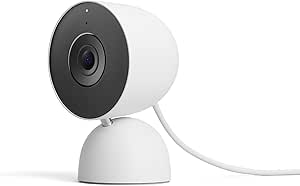
Google Nest Cam Indoor (Wired, 3rd Gen) – Security Camera – Snow
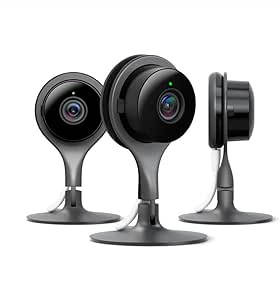
Google Nest Cam Indoor Security Camera, 3-Pack

Google Nest Doorbell (Wired, 2nd Gen) – Snow
As an affiliate, we earn on qualifying purchases.
Background and Development of Pixel Emergency Features
Google has steadily expanded its safety tools in recent Pixel updates, integrating features like Safety Check and Emergency SOS into the Personal Safety app. These tools are part of broader efforts to improve mobile safety and leverage Pixel’s hardware sensors and software capabilities. While many features are user-configurable, their effectiveness depends on proper setup beforehand. The availability of crash detection and alerts varies by region, and Android’s emergency features are not uniform across all devices or countries.
“Most of these emergency features require users to set them up in advance, but once configured, they can be critical in life-threatening situations.”
— Emily Long, freelance tech writer
Remaining Questions About Pixel Emergency Capabilities
It is not yet clear how effective some features are in real-world emergencies, especially crash detection accuracy outside tested regions. The availability of certain alerts and detection features varies by country, and ongoing updates may alter functionality. Additionally, user awareness and setup compliance remain critical factors for these tools to be effective during crises.
Next Steps for Users and Google Safety Enhancements
Google is expected to release further updates improving the reliability and regional coverage of emergency features. Users should review and configure their safety settings now, ensuring contacts and medical info are up to date. Future enhancements may include expanded crash detection, more regional alerts, and integration with other emergency services, making these tools even more comprehensive.
Key Questions
How do I activate Safety Check on my Pixel?
Open the Personal Safety app, go to Safety Check, select your activity and duration, choose contacts to notify, and start the check-in process.
Can I customize emergency alerts on my Pixel?
Yes, you can manage alert preferences under Settings > Notifications > Wireless emergency alerts and Safety & emergency sections to control weather, crisis, and earthquake alerts.
Does crash detection work everywhere?
No, crash detection is currently available only in certain regions like the US and requires specific permissions to be enabled. Its accuracy outside these regions is not yet confirmed.
What should I do to prepare my Pixel for emergencies?
Set up emergency contacts, medical info, activate Safety Check, enable Emergency SOS, and configure alerts. Regularly review these settings to ensure they are current.
Are these features available on non-Pixel Android phones?
Many features are accessible via the Google Play Store as the Safety app, but some functionalities may be limited or vary depending on device manufacturer and region.
Source: Lifehacker