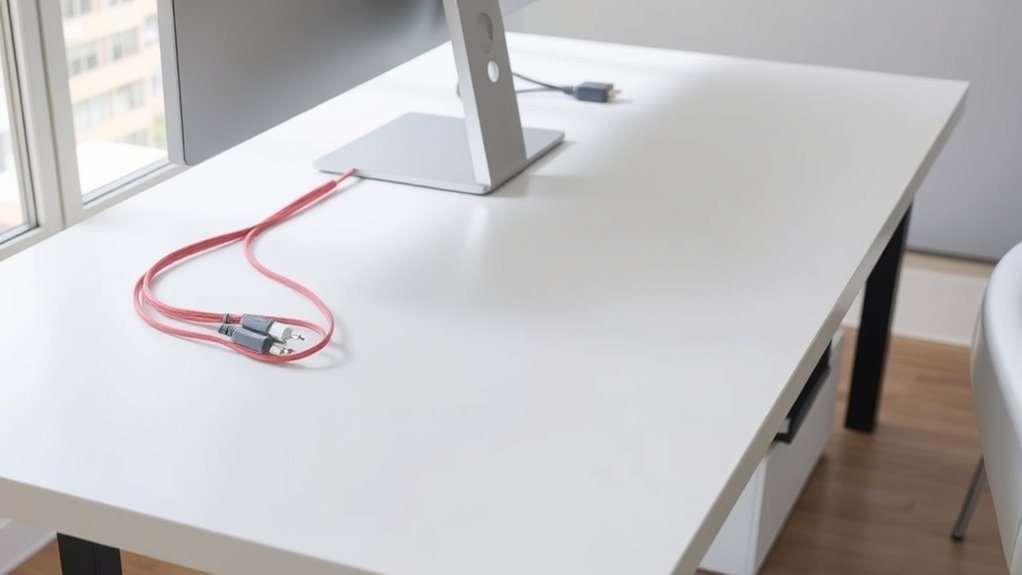

To keep your desk clutter-free, consider using cable management tools like clips, sleeves, and ties to organize and secure cords neatly. Incorporate a wireless charging station to reduce the number of cables and create a cleaner look. Hiding power strips in cable management boxes also helps minimize visual clutter. By adopting these solutions, you’ll enjoy a tidier, safer workspace. Keep exploring to discover even more ways to optimize your desk organization effectively.
Key Takeaways
- Incorporate wireless charging pads to eliminate multiple cords and reduce desk clutter.
- Use cable clips, sleeves, and ties to secure and organize cords along your workspace.
- Label cables with tags or color codes for easy identification and quick troubleshooting.
- Hide excess cables and power strips in management boxes for a neat, clutter-free surface.
- Maintain an organized setup by regularly reviewing and adjusting cable arrangements for efficiency.

Cable management solutions are essential for keeping your workspace organized, safe, and efficient. When your desk is cluttered with tangled cords and loose wires, it’s easy to feel overwhelmed and distracted. Fortunately, there are simple ways to improve cable organization that can transform your workspace into a tidy, functional area. One highly effective approach is to incorporate wireless charging pads. These devices eliminate the need for multiple charging cables, reducing clutter and freeing up space on your desk. By setting your compatible devices on a wireless charger, you can keep cords out of sight and maintain a clean surface. This not only streamlines your workspace but also minimizes the risk of accidental disconnections or damage caused by cables being tugged or twisted.
Wireless charging pads simplify cable management by reducing clutter and keeping your workspace neat and efficient.
To optimize cable organization, consider using cable clips, sleeves, or cable ties. These tools help secure cords along the edges of your desk or behind your monitor, preventing them from sprawling across your workspace. With cables neatly bundled and routed, you’ll find it easier to locate the right cord when needed and avoid the frustration of searching through a jumble of wires. Additionally, investing in a cable management box can hide power strips and excess cords, giving your desk a sleek and organized appearance. When cables are properly contained, you also reduce the risk of tripping hazards or accidental disconnections, making your workspace safer. Incorporating wireless charging technology can further enhance your setup by reducing reliance on traditional cords and promoting a more streamlined environment.
Another smart tip involves labeling your cables. When you have multiple devices connected, knowing which wire belongs to what can save you time and hassle. Use small labels or color-coded tags to identify cables, so you can quickly disconnect or troubleshoot without detangling everything. Combining these labeling strategies with cable sleeves or clips creates an all-encompassing system that keeps everything orderly.
In today’s tech-driven environment, wireless charging is a game-changer for cable organization. It allows you to keep your smartphones, earbuds, or other compatible devices charged without cluttering your desk with cords. Not only does this improve the aesthetic of your workspace, but it also enhances functionality, allowing you to focus more on your work rather than managing cables. By integrating wireless charging stations into your setup, you streamline your workspace even further and enjoy a cleaner, more organized environment. In essence, the key to a clutter-free desk lies in smart cable management solutions—embracing wireless charging, using proper cable organization tools, and maintaining an orderly setup that keeps your workspace safe, efficient, and visually appealing.

Anlmz 3 in 1 Charging Station for iPhone, Wireless Charger for iPhone 17 16e 16 15 14 13 12 11 X Pro Max & Apple Watch – Wireless Charging Station for AirPods 4 3 Pro
Charge 3 Devices at Once:Charge your iPhone, Apple Watch, and AirPods at the same time with one compact…
As an affiliate, we earn on qualifying purchases.
As an affiliate, we earn on qualifying purchases.
Frequently Asked Questions
What Are the Best Cable Management Solutions for Gaming Setups?
For your gaming setup, the best cable management solutions include using cable sleeves to organize and protect your cords neatly. Consider wireless alternatives like wireless charging pads and Bluetooth accessories to reduce clutter further. You can also employ cable clips and under-desk trays to keep cables out of sight. These options help create a clean, streamlined gaming environment, allowing you to focus on gameplay without the distraction of tangled cords.
How Can I Hide Cables Behind a Desk Neatly?
Don’t let cables turn into a tangled mess—it’s time to take control. You can hide cables behind your desk neatly by using a wire organizer along the back edge. Secure loose wires with cable clips to keep them firmly in place and prevent clutter. Tidy cables behind your desk not only looks better but also makes cleaning easier and prevents accidental disconnections, giving your space a clean, professional feel.
Are There Eco-Friendly Cable Management Options Available?
Yes, eco-friendly cable management options are available. You can use biodegradable sleeves that break down naturally over time, reducing environmental impact. Recycled cable ties are also a great choice, as they’re made from recycled materials and help minimize waste. These options keep your workspace tidy while supporting sustainability. By choosing biodegradable sleeves and recycled cable ties, you actively contribute to protecting the environment while maintaining a neat, organized desk.
How Do I Organize Cables for Multiple Devices?
To organize cables for multiple devices, start with cord organization by grouping related cables together using cable ties or sleeves. Use cable labeling to identify each cord easily, so you know which device it belongs to. Route your cables neatly along the edges of your desk or behind it to prevent tangling and clutter. Regularly check and adjust your setup to keep everything tidy and accessible, making your workspace more efficient.
Can Cable Management Improve Workplace Safety?
Yes, cable management can improve workplace safety by reducing hazards like tripping or electrical shorts. When you use quality solutions that guarantee cable durability and meet safety standards, you create a safer environment. Properly secured cables prevent accidental disconnections and damage, lowering risks. By organizing cables effectively, you minimize clutter and potential accidents, making your workspace safer for everyone while also enhancing overall efficiency.

N NOROCME 192 PCS Cable Management Kit 4 Wire Organizer Sleeve,11 Cable Holder,35Cord Clips 10+2 Roll Cable Organizer Straps and 100 Fastening Cable Ties for Computer TV Under Desk, black,clear
Cable Management Kit: 4pcs Cable Sleeves( 20 in L x 0.4 in w), 20pcs reusable wire ties,35Cable Clips…
As an affiliate, we earn on qualifying purchases.
As an affiliate, we earn on qualifying purchases.
Conclusion
With the right cable management solutions, you’ll turn your cluttered desk into a sleek, organized oasis—faster than you can say “chaos.” No more tangled cords or endless searching for that one missing charger. By keeping cables tidy, you’ll boost your productivity and make your workspace feel like a tech sanctuary. So, take charge today and transform your desk into a clutter-free paradise—your future self will thank you for it!
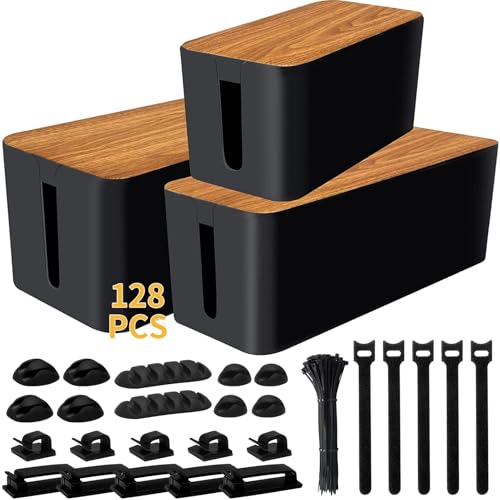
YUANYE Cable Management Box Cable Management Kit for Power Strip to Hide Wires,Cord Organizer Boxes,Safe ABS Material Wire Organizer of Cable Clips Sleeve for Home & Office,3Pack-128PCS /Black
【128 PCS Cable Management Set】–Are you feel worried and tired of messy cables? this cable organizer set is…
As an affiliate, we earn on qualifying purchases.
As an affiliate, we earn on qualifying purchases.

Trilancer Cable Cord Labels Large Size, for Organizing Wires and Identification, Multicolored Handwriting Cable Tags, Reusable with Multiple Uses – 35 PCS
✅【Get Organized】- Sick of unplugging the wrong cord? So were we. Avoid the frustration with the cable cord…
As an affiliate, we earn on qualifying purchases.
As an affiliate, we earn on qualifying purchases.