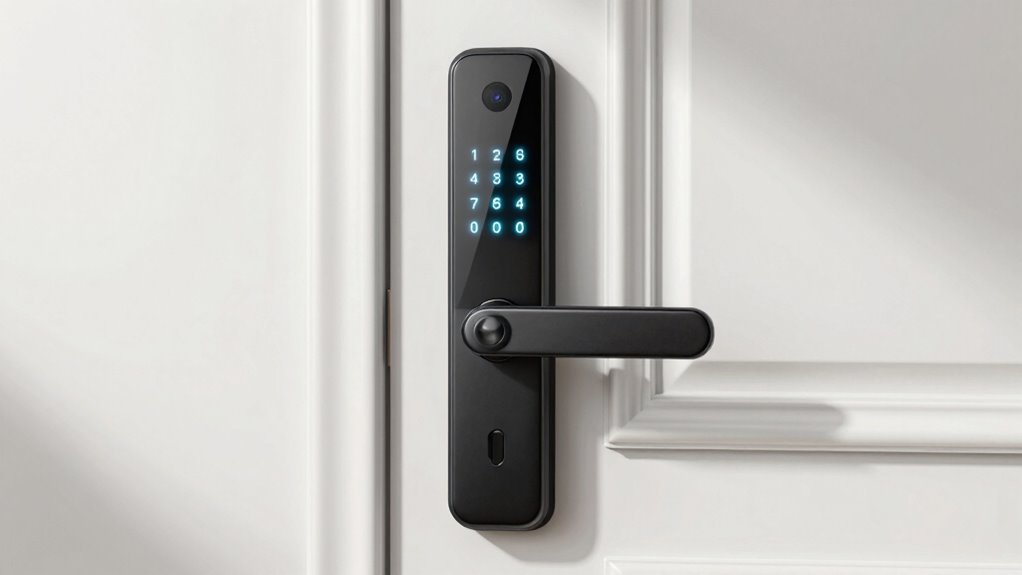
If you’re searching for a smart lock with keypad, you’re likely looking for a secure, keyless way to manage access to your home. The best options combine reliable digital security with convenient features like remote control and integration with smart home systems. The top picks include the Philips Wi-Fi Smart Deadbolt for advanced connectivity and the Yale Assure Lock 2 for a sleek, versatile design. However, you’ll face tradeoffs between price, ease of installation, and smart features. Keep reading for a detailed breakdown of these options to help you choose the right fit.

Get furniture and decor delivered free with Prime
- Fast, free delivery on millions of items
- Prime Video, Amazon Music and more included
- Member-only deals all year
Complete the kit


Key Takeaways
- Top-tier models like the Philips Wi-Fi Deadbolt excel in remote control and smart home compatibility, but often come at a higher price.
- Build quality and durability vary significantly; premium locks typically use stronger materials and better weatherproofing.
- Ease of installation is a key factor—some models are more DIY-friendly than others, especially for non-technical users.
- Battery life and power sources are often overlooked but are crucial for long-term reliability and maintenance.
- Pricing reflects feature set, with more advanced models offering fingerprint access, voice control, or integration, but these add to cost.
| Keypad Door Lock with Handle, Smart Keyless Entry with Code for Front Door |  | Best Budget-Friendly, DIY-Friendly Keypad Lock | Compatibility: Standard US and Canadian wooden doors | Battery Life: 8-12 months | Battery Type: 4 AA batteries (not included) | VIEW ON AMAZON | See Our Full Breakdown |
| Philips Wi-Fi Smart Deadbolt Lock, Keyless Entry Door Lock |  | Best Versatile Smart Lock with Remote Access and Voice Control | Connectivity: Wi-Fi 2.4GHz | Power: AA alkaline batteries | Supported Doors: 1-3/8″ to 2″ thick | VIEW ON AMAZON | See Our Full Breakdown |
| TEEHO TE001 Keyless Entry Deadbolt with Keypad for Front Door, Satin Nickel |  | Best Long-Lasting, Weather-Resistant Basic Keypad Deadbolt | Material: Aluminum alloy | Color: Satin Nickel | Battery: 4 AA batteries (not included) | VIEW ON AMAZON | See Our Full Breakdown |
| Philips WiFi Keypad Door Lock with Handle, Built-in WiFi, APP Remote Control, Voice & Fingerprint Unlock, Satin Nickel |  | Best All-in-One WiFi-Enabled Keypad Lock with Multiple Unlock Methods | Connectivity: WiFi (2.4GHz) | Control: App, Voice, Fingerprint, Keypad | Auto Lock: Yes, 0-180 seconds | VIEW ON AMAZON | See Our Full Breakdown |
| TEEHO TE001 Keyless Entry Deadbolt with Keypad for Front Door, Matte Black |  | Best Weatherproof, Long Battery Life Keypad Deadbolt | Access Codes: 20 | One-Time Code: Yes | Locking Time: 10-99 seconds | VIEW ON AMAZON | See Our Full Breakdown |
| Philips WiFi Keypad Deadbolt with Handle, Built-in WiFi, App Remote Control |  | Best Overall for Convenience and Versatility | WiFi Compatibility: 2.4GHz WiFi, no hub needed | Auto-Lock: Yes, customizable from 0-180 seconds | Battery Life: Up to 6 months | VIEW ON AMAZON | See Our Full Breakdown |
| eufy Security Smart Lock C30, Keyless Entry Door Lock with Wi-Fi |  | Best for Easy DIY Installation and Weather Resistance | Brand: eufy Security | Model Number: T85D0 | Recommended Uses: Residential, keyless entry, smart home integration | VIEW ON AMAZON | See Our Full Breakdown |
| Yale Assure Lock 2 Smart Keypad Deadbolt with Wi-Fi, Satin Nickel |  | Best for Easy Installation and Multiple Access Options | Brand: Yale Security | Recommended Uses: Entry Door, Front Door | Included Components: Yale Assure Lock 2, Wi-Fi Smart Module, Deadbolt | VIEW ON AMAZON | See Our Full Breakdown |
| Yale August Wi-Fi Smart Lock with Keypad Touch in Silver |  | Best for No-Deadbolt Replacement and Easy Access Sharing | Color: Silver | Connectivity: Wi-Fi | Type: Smart Lock with Keypad | VIEW ON AMAZON | See Our Full Breakdown |
| smart lock with keypad | Battery Life |
|---|---|
| Keypad Door Lock with Handle | 8-12 months |
| Philips Wi-Fi Smart Deadbolt L | — |
| TEEHO TE001 Keyless Entry Dead | Up to 365 days |
| Philips WiFi Keypad Door Lock | — |
| TEEHO TE001 Keyless Entry Dead | up to 365 days |
| Philips WiFi Keypad Deadbolt w | Up to 6 months |
| eufy Security Smart Lock C30 | Up to 5 months |
| Yale Assure Lock 2 Smart Keypa | — |
| Yale August Wi-Fi Smart Lock w | — |
More Details on Our Top Picks
Keypad Door Lock with Handle, Smart Keyless Entry with Code for Front Door
This keypad lock stands out for its straightforward installation and weather resistance, making it ideal for those who want a reliable, no-frills solution. Compared to the Philips Wi-Fi Smart Deadbolt, it lacks remote control and app connectivity, but it excels in simplicity and affordability. Its ability to support up to 20 codes and auto-lock features make it well-suited for families needing easy guest access and outdoor durability. The main tradeoff is its reliance on physical keys as a backup and absence of smart features like Wi-Fi or Bluetooth, limiting remote management. This pick makes the most sense for budget-conscious homeowners or renters who prefer a straightforward, weatherproof lock without digital complexities.
Pros:- Simple DIY installation in about 15 minutes
- Supports up to 20 personalized access codes
- Weather-resistant with IP54 rating
- Auto lock and passage mode for flexible security
Cons:- Batteries not included, requiring purchase separately
- Requires physical keys as backup
- No Wi-Fi or Bluetooth connectivity
Best for: DIY homeowners seeking a weather-resistant, easy-to-install keypad lock for outdoor use
Not ideal for: Users wanting remote access or integration with smart home systems, since it lacks Wi-Fi or app control
- Compatibility:Standard US and Canadian wooden doors
- Battery Life:8-12 months
- Battery Type:4 AA batteries (not included)
- Weather Resistance:IP54
- Installation Time:about 15 minutes
- Handle:Reversible
Our verdict“This lock is best for those who prioritize durability and simplicity over remote control features.”
Philips Wi-Fi Smart Deadbolt Lock, Keyless Entry Door Lock
This model makes the most sense for users who want a fully connected smart lock with multiple unlocking options, including app, fingerprint, and voice commands. Unlike the keypad-only options, it offers remote control via Wi-Fi and real-time notifications, greatly enhancing convenience and security. It supports up to 100 passcodes and offers features like activity logs and auto-lock, making it suitable for busy households or small businesses. However, it requires stable Wi-Fi and batteries, with no door sensor included, so physical status updates depend on external sensors or manual checks. Compared with the simpler TEEHO keypad locks, it provides a much richer smart experience, but at a higher cost and dependency on Wi-Fi stability.
Pros:- Multiple unlocking methods including app, fingerprint, passcode, and voice
- Remote control and real-time activity alerts via Wi-Fi
- Supports up to 100 passcodes for family or guests
- Auto-lock feature for enhanced security
Cons:- Batteries are not included, requiring separate purchase
- Requires stable Wi-Fi connection for full functionality
- No door sensor for physical lock status detection
Best for: Smart home enthusiasts who want remote management and multiple unlocking methods for their front door
Not ideal for: People with unstable Wi-Fi or those seeking a low-cost, simple keypad lock without smart features
- Connectivity:Wi-Fi 2.4GHz
- Power:AA alkaline batteries
- Supported Doors:1-3/8″ to 2″ thick
- Remote Range:65 ft
- Voice Compatibility:Alexa, Google Assistant
- Auto-Lock Timer:10-180 seconds
Our verdict“Ideal for users wanting a feature-rich, remotely controllable smart lock that integrates with their smart home ecosystem.”
TEEHO TE001 Keyless Entry Deadbolt with Keypad for Front Door, Satin Nickel
This lock is a solid choice for those who want a durable, weather-resistant deadbolt with long battery life and multiple codes. Its simplicity and ease of installation make it comparable to the Keypad Door Lock with Handle but with a focus on durability and long-term use. It supports a single-year battery life and has security features like anti-peeping codes, making it reliable for outdoor applications. However, it requires 4 AA batteries (not included) and needs resetting before first use, which adds a small initial setup step. Unlike the Philips Wi-Fi lock, it doesn’t offer remote control, but it excels in stability and durability for fixed access control needs.
Pros:- Easy to install with minimal tools
- Battery life up to a year with low battery indicator
- Weather-resistant and durable aluminum construction
- Multiple access codes for family and guests
Cons:- Requires 4 AA batteries (not included)
- Needs resetting before first use or troubleshooting
- No remote or app control capabilities
Best for: Homeowners needing a weatherproof, long-lasting keypad deadbolt for outdoor front doors
Not ideal for: Users seeking remote access or smart home integration, since it lacks connectivity features
- Material:Aluminum alloy
- Color:Satin Nickel
- Battery:4 AA batteries (not included)
- Battery Life:Up to 365 days
- Weather Resistance:IP54
- Security Features:Anti-peeping code, low battery indicator
Our verdict“Perfect for those prioritizing durability and long battery life over remote or smart features.”
Philips WiFi Keypad Door Lock with Handle, Built-in WiFi, APP Remote Control, Voice & Fingerprint Unlock, Satin Nickel
This model is best suited for those who want a comprehensive smart lock with remote control, fingerprint, keypad, and voice options. Its built-in Wi-Fi allows for remote access and real-time monitoring, making it more versatile than standalone keypad locks like the TEEHO models. The quick fingerprint speed of 0.3 seconds and included handle set enhance user convenience. However, it requires 8 AA batteries (not included), and setup may be challenging for some users, especially with Wi-Fi and app configuration. Compared to the simpler keypad locks, it offers a more integrated smart experience but at a higher price point and dependency on Wi-Fi stability.
Pros:- Supports app, fingerprint, keypad, voice, and physical keys
- Remote control and real-time access via built-in Wi-Fi
- Includes handle set and supports auto-lock
- Fast fingerprint recognition at 0.3 seconds
Cons:- Batteries are not included, requiring purchase
- Requires 2.4GHz Wi-Fi network, not compatible with 5GHz
- Setup can be complex for non-technical users
Best for: Tech-savvy homeowners looking for an all-in-one smart lock with remote access and multiple unlocking methods
Not ideal for: Those with limited DIY skills or unreliable Wi-Fi, as setup and stable internet are required for full functionality
- Connectivity:WiFi (2.4GHz)
- Control:App, Voice, Fingerprint, Keypad
- Auto Lock:Yes, 0-180 seconds
- Fingerprint Speed:0.3 seconds
- Power:8 AA alkaline batteries
- Door Thickness Compatibility:1-3/8″ to 1-3/4″
Our verdict“Ideal for those wanting a feature-packed, remotely manageable smart lock with multiple access options.”
TEEHO TE001 Keyless Entry Deadbolt with Keypad for Front Door, Matte Black
This lock is tailored for users needing a weather-resistant deadbolt with a long-lasting battery and straightforward keypad access. Its design, similar to the Satin Nickel version, emphasizes durability over smart features, making it a practical choice for outdoor use. The support for 20 codes, including a one-time guest code, and a battery life of up to a year, make it suitable for busy households or rental properties. Unlike the Philips Wi-Fi lock, it doesn’t offer remote control, but it’s more straightforward for those who want a reliable, low-maintenance security solution. Resetting for first use or troubleshooting can be slightly inconvenient, but it remains a go-to for durability and simplicity.
Pros:- Easy to install with minimal tools
- Battery life up to a year with low battery indicator
- Weather-resistant aluminum alloy construction
- Multiple access codes including a one-time guest code
Cons:- Requires 4 AA batteries (not included)
- Needs resetting before first use or after troubleshooting
- No remote or app control capabilities
Best for: Homeowners or landlords seeking a weatherproof, long-lasting keypad lock for outdoor entrance without the need for remote access
Not ideal for: Users wanting remote control or smart home integration, as it lacks Wi-Fi or app features
- Access Codes:20
- One-Time Code:Yes
- Locking Time:10-99 seconds
- Batteries:4 AA (not included)
- Battery Life:up to 365 days
- Weather Resistance:IP54
Our verdict“Best suited for those prioritizing durability and long-term outdoor reliability over smart features.”
Philips WiFi Keypad Deadbolt with Handle, Built-in WiFi, App Remote Control
This model stands out for its comprehensive remote management, biometric access, and voice control compatibility. Unlike the Yale Assure Lock 2, which requires a separate app for some functions, the Philips deadbolt integrates Wi-Fi directly, offering real-time control without hubs. Its support for multiple access methods, including fingerprint and PIN, provides flexibility, but the need for separate batteries and the manual auto-lock setup are minor inconveniences. Its long battery life and easy DIY installation make it a strong choice for those seeking a feature-rich, adaptable lock. While it’s primarily designed for right-opening doors, its convenience outweighs these limitations for most homeowners.
Pros:- Easy to install with DIY instructions
- Remote control and real-time access management via app
- Supports multiple access methods including PIN, fingerprint, and voice commands
- Long battery life with low-battery alerts
Cons:- Batteries are not included, requiring an extra purchase
- Auto-lock feature must be manually enabled in the app
- Designed primarily for right-opening doors
Best for: Homeowners who want a versatile, Wi-Fi-enabled lock with biometric and voice control features, preferring a DIY install
Not ideal for: People who want a lock with included batteries or automatic auto-lock setup without manual intervention
- WiFi Compatibility:2.4GHz WiFi, no hub needed
- Auto-Lock:Yes, customizable from 0-180 seconds
- Battery Life:Up to 6 months
- Batteries Included:No
- Fingerprint Speed:0.3 seconds
- Door Thickness Compatibility:1-3/8″ to 1-3/4″ (38mm to 50mm)
Our verdict“This pick is best for users who prioritize flexible access options and remote control without hub dependency.”
eufy Security Smart Lock C30, Keyless Entry Door Lock with Wi-Fi
Compared with the Yale Assure Lock 2, which excels in simple installation, the eufy Security Smart Lock C30 offers quick setup in about 15 minutes and a durable, weather-resistant design suitable for outdoor use, thanks to its IPX3 waterproof rating. It supports remote control via Wi-Fi, auto-lock, and physical key access, but its batteries require replacement every five months, and reviews show mixed satisfaction with its app stability. It’s a practical choice for those needing a reliable, weatherproof lock, but the shorter battery life and lack of detailed firmware updates mean it might not satisfy power users or those seeking long-term, fuss-free operation.
Pros:- Easy DIY installation in about 15 minutes
- Remote control and real-time notifications via Wi-Fi
- Supports physical key, voice commands, and auto-lock
Cons:- Batteries are not included, with a 5-month lifespan
- Customer reviews show mixed satisfaction
- No detailed firmware update info available
Best for: Residents seeking a durable, weatherproof smart lock with straightforward installation and remote management
Not ideal for: Users who want longer battery life or highly stable app experiences, especially in remote or less reliable Wi-Fi environments
- Brand:eufy Security
- Model Number:T85D0
- Recommended Uses:Residential, keyless entry, smart home integration
- Included Components:Deadbolt
- Battery Life:Up to 5 months
- Waterproofing:IPX3
- Temperature Range:-22℉ to 158℉ (-30℃ to 70℃)
Our verdict“Best suited for users wanting a weather-resistant lock with quick, easy setup and remote access, accepting moderate battery replacement frequency.”
Yale Assure Lock 2 Smart Keypad Deadbolt with Wi-Fi, Satin Nickel
The Yale Assure Lock 2 excels in combining simple installation with versatile unlocking methods like keypad, voice, and auto-unlock, making it a strong rival to the Philips WiFi Deadbolt’s app controls. It supports remote management through the Yale Access App, but is limited to 2.4 GHz Wi-Fi networks—potentially a drawback for users with dual-band routers. Its auto-lock feature boosts security, yet it’s primarily designed for US and Canadian markets, which could limit accessibility for international buyers. This lock is ideal for those who value straightforward setup and multiple unlocking options but are okay with regional restrictions and a reliance on smartphone connectivity for full functionality.
Pros:- Multiple unlocking options including keypad, voice, auto-unlock, and app control
- Easy to install without professional help
- Auto-lock feature enhances security
- Remote access and notifications via Yale Access App
Cons:- Limited to 2.4 GHz Wi-Fi networks
- Restricted to US and Canada markets
- Requires smartphone for full functionality
Best for: Homeowners seeking an easy-to-install, multi-access smart lock within North America
Not ideal for: International users or those without a stable 2.4 GHz Wi-Fi network, since compatibility is limited
- Brand:Yale Security
- Recommended Uses:Entry Door, Front Door
- Included Components:Yale Assure Lock 2, Wi-Fi Smart Module, Deadbolt
- Model Number:YRD410-WF1-619
- Warranty:Lifetime limited on Finish and Mechanical, One year on Electronics
- Auto-Lock:Yes
Our verdict“A solid choice for North American homeowners who want easy installation and flexible access methods, accepting regional Wi-Fi limitations.”
Yale August Wi-Fi Smart Lock with Keypad Touch in Silver
The Yale August Wi-Fi Smart Lock installs on the inside of your existing door, avoiding the need to replace your deadbolt—making it ideal for renters or those hesitant about hardware changes. Its support for fingerprint, keypad, and app access provides multiple convenience options, but the fingerprint scanner’s accuracy can vary, and it lacks detailed battery life information. Unlike the Philips WiFi Deadbolt, which supports more advanced biometric options, this lock emphasizes simplicity and ease of use. It’s best suited for households that want quick install, multiple access methods, and the ability to share codes with guests, but it may fall short for users who want robust biometric reliability or comprehensive battery info.
Pros:- Easy to install without replacing existing deadbolt
- Multiple access options including fingerprint, keypad, and app
- Built-in Wi-Fi eliminates the need for hubs
- Allows sharing of custom entry codes
Cons:- Fingerprint scanner accuracy may vary
- No detailed info on battery life or backup power
- Requires existing Wi-Fi network
Best for: Renters or homeowners seeking an easy-install, non-invasive lock with multiple entry options and guest code sharing
Not ideal for: Power users needing extensive biometric security or detailed battery management, due to scanner variability and limited specs info
- Color:Silver
- Connectivity:Wi-Fi
- Type:Smart Lock with Keypad
- Biometric Access:Fingerprint
- Compatibility:August Home app
Our verdict“Ideal for those wanting simple, non-invasive installation with flexible guest access and multiple unlocking methods, accepting some biometric variability.”
How We Picked
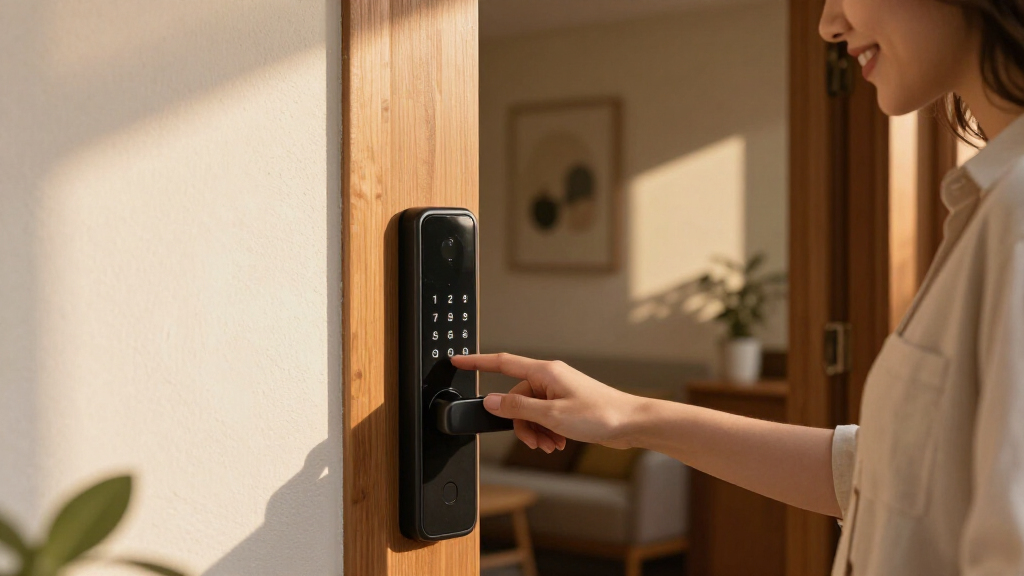
In selecting these products, I focused on performance, ease of use, build quality, and smart home compatibility. I prioritized locks that provide reliable keypad operation, seamless app control, and robust security features. Devices with versatile access options, such as fingerprint or voice control, were favored, but I also considered installation complexity and value for money. The ranking reflects a balance between premium features and practicality, ensuring options for different budgets and tech setups. Ultimately, these picks represent the best combination of innovation, reliability, and user convenience available in 2026.Factors to Consider When Choosing Smart Lock With Keypad
Choosing the right smart lock with keypad involves more than just feature lists. It’s important to consider how the lock integrates into your existing smart home system, the durability of the hardware, and your specific security needs. Understanding these factors helps prevent costly mistakes and ensures the lock you select will serve well over time.Compatibility and Smart Home Integration
Ensure the lock works seamlessly with your current smart home ecosystem, whether that’s Alexa, Google Home, or Apple HomeKit. Compatibility can influence how easily you control access remotely or automate routines. Some locks only work with specific apps or require additional hubs, affecting setup complexity and ongoing reliability.
Security Features and Build Quality
Look for locks with sturdy construction, tamper alarms, and secure encryption for digital access. Cheaper models may use lower-quality materials or lack advanced security protocols, making them more vulnerable. A well-built lock not only resists physical tampering but also ensures the keypad and electronic components are protected from the elements if used outdoors.
Ease of Installation and Maintenance
Many smart locks are designed for DIY installation, but some can be tricky or require special tools. Consider how much time and effort you’re willing to invest, especially if you plan to move or replace the lock later. Battery life and ease of changing batteries also impact long-term maintenance, which should be factored into your decision.
Access Options and User Management
Beyond the keypad, features like fingerprint sensors, biometric options, or smartphone app control can enhance convenience. Think about how many users need access and whether you require temporary codes, scheduled entry, or remote management. The more flexible the access control, the better it adapts to varied household needs.
Price and Value
While premium models offer advanced features, they come at a higher cost. Lower-priced options might lack some smart functionalities or durability, but still provide basic security. Balance your budget with your security priorities, and beware of models that cut corners on essential features or build quality to save money.
Frequently Asked Questions
Can I install a smart lock with keypad myself, or will I need professional help?
Many smart locks with keypads are designed for DIY installation and come with detailed instructions. However, the complexity varies depending on your door type and existing hardware. Basic models typically require standard tools and can be installed in under an hour, while more advanced systems or irregular doors may benefit from professional help to ensure proper fit and security.
Will a smart lock with keypad work if the Wi-Fi or power goes out?
Most smart locks rely on batteries, so they should continue functioning during power outages. However, remote control features dependent on Wi-Fi or internet connection may be temporarily unavailable. It’s wise to choose a model with a backup mechanical key or a low-battery alert system to avoid lockouts during critical moments.
How secure are keypad codes compared to traditional keys?
Keypad codes can be highly secure if managed properly, such as using unique, changing codes for different users and disabling codes when no longer needed. Unlike physical keys, codes cannot be copied physically, reducing risks of duplication. However, they are vulnerable if someone observes the code being entered or if the keypad is exposed to weather or tampering, so choosing a lock with anti-peep or random code features adds extra protection.
How does smart home integration impact the security of the lock?
Smart home integration offers convenience, allowing remote control and automation, but it also introduces potential vulnerabilities if your network isn’t secure. Ensuring the lock uses encrypted communication and is compatible with your existing security protocols minimizes risks. Regular firmware updates from the manufacturer also help patch vulnerabilities that could be exploited.
Are more expensive smart locks with keypad worth the extra cost?
Higher-priced models often include advanced features like biometric access, voice control, and better build materials, which can justify the cost if those features matter to your security and convenience. They generally offer improved durability, better integration, and enhanced security protocols. However, for basic needs, mid-range options can provide sufficient security without the premium price, so it’s important to match features with your specific requirements.
Conclusion
For most households, the Philips Wi-Fi Smart Deadbolt stands out as the best overall choice thanks to its combination of smart home compatibility, reliability, and ease of use. Budget-conscious buyers should consider the Keypad Door Lock with Handle for solid basic features at a lower price. Those seeking a premium experience will appreciate the Yale Assure Lock 2 for its sleek design and advanced features. Beginners or renters may prefer models with straightforward installation, while tech-savvy users aiming for maximum integration should look at locks with biometric and voice control options. Ultimately, your decision depends on your specific security needs, smart home setup, and budget constraints.