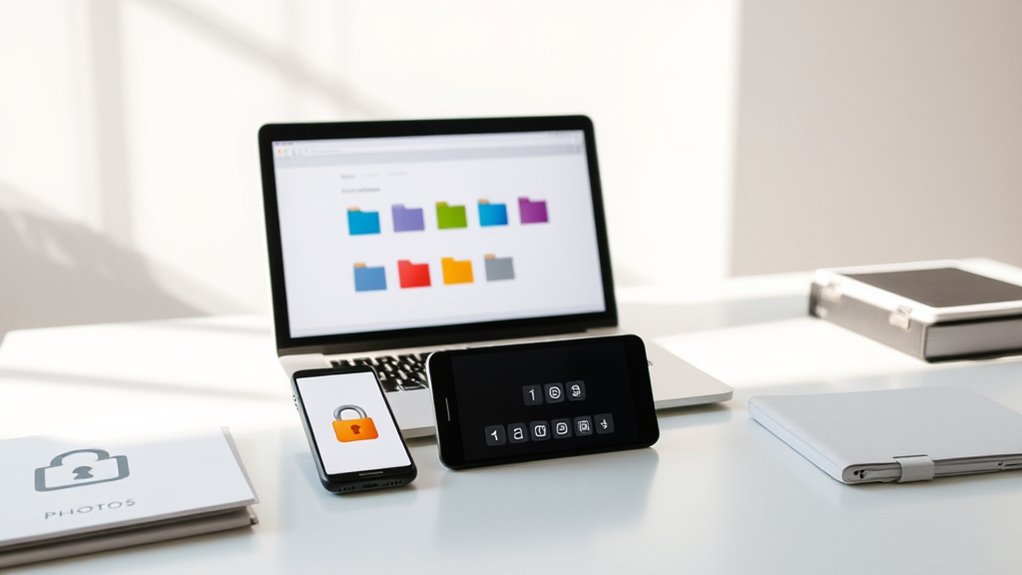

To declutter digitally, start by creating clear, labeled folders for files and photos, and stick to a consistent naming system that helps you find things easily. Regularly review and delete unnecessary duplicates or outdated items, and organize passwords securely using a trusted manager. Incorporate routine maintenance to keep everything tidy and protected. If you want practical tips on staying organized and secure, keep exploring ways to streamline your digital life.
Key Takeaways
- Use clear, descriptive folder structures and consistent naming conventions to organize files and photos effectively.
- Regularly review and delete duplicate or outdated files and photos to reduce digital clutter.
- Store passwords securely with reputable password managers and update them periodically for added security.
- Schedule routine digital decluttering sessions to maintain organized files, photos, and passwords.
- Leverage cloud storage to back up data, facilitate easy access, and keep your digital workspace tidy.

Have you ever felt overwhelmed by the endless digital clutter filling your devices? It’s easy to get lost in a sea of files, photos, and passwords, but the good news is that you can regain control with a simple approach. One of the most effective ways to start decluttering is by utilizing cloud storage. Instead of saving everything directly on your device, you can upload files to a secure cloud platform like Google Drive, Dropbox, or OneDrive. This not only frees up space but also guarantees your files are backed up and accessible from any device. As you upload, it’s vital to organize your files into clearly labeled folders so you can find what you need without sifting through endless clutter.
Streamline your digital life by organizing files in cloud storage for easy access and peace of mind.
A key part of maintaining an organized digital space lies in proper file naming. When you save a document or photo, avoid generic titles like “Document1” or “IMG_1234.” Instead, use descriptive, consistent names that make sense to you. For example, name a photo “BeachVacation_July2024” or a report “Q2_SalesAnalysis.” This practice makes it easier to search and locate files later, saving you time and frustration. Incorporate dates or project identifiers into your file names so you can quickly identify the most recent version or related content. Developing a standardized naming system might take some initial effort, but it pays off in the long run by keeping your digital workspace tidy and efficient.
Another helpful tip is to regularly review and delete unnecessary files. Set aside time weekly or monthly to go through your folders, removing duplicates or outdated items. This prevents clutter from building up over time. Additionally, consider creating a dedicated folder for downloads and temporary files, and clear it out regularly. When you’re consistent with your naming conventions and storage habits, you’ll find it easier to stay organized and avoid the chaos that often accompanies digital clutter. Utilizing privacy and security measures like password managers can further enhance your digital organization by safeguarding sensitive information and streamlining login processes.
Managing passwords is another essential aspect of digital decluttering. Use a reputable password manager to keep track of login credentials securely. Instead of writing passwords down or saving them in unprotected files, a password manager encrypts your data and offers quick access. This reduces the risk of forgetting passwords or exposing sensitive information. Remember to update your passwords periodically and avoid reusing the same ones across multiple accounts.
In the end, digital decluttering isn’t a one-time task but an ongoing process. By leveraging cloud storage, adopting consistent file naming practices, and managing passwords efficiently, you’ll create a digital environment that’s organized, secure, and much less stressful to navigate.
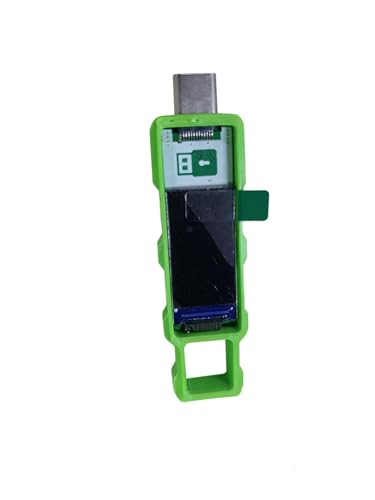
Password Keeper Offline Password Manager for Secure Storage (Green)
100% Offline & Secure Storage: This dedicated electronic device stores all your usernames, passwords, and notes locally. Your…
As an affiliate, we earn on qualifying purchases.
As an affiliate, we earn on qualifying purchases.
Frequently Asked Questions
How Often Should I Declutter My Digital Files?
You should declutter your digital files at least quarterly, following some frequency guidelines to keep things manageable. Regular decluttering helps prevent digital clutter from piling up, making it easier to find important documents and photos when needed. It also offers decluttering benefits like reducing stress and boosting productivity. By sticking to a routine, you’ll keep your digital space organized, efficient, and clutter-free, saving you time and frustration in the long run.
What Tools Are Best for Digital Decluttering?
Think of your digital space as a garden needing regular tending. Use tools like cloud storage services—Google Drive or Dropbox—to keep files accessible and organized. Adopt clear file naming conventions to streamline your workflow. Automated decluttering apps like Clean My Mac or WinDirStat can help identify clutter and free up space. These tools act like your digital gardener, helping you maintain a tidy, efficient garden with ease and consistency.
How Can I Securely Delete Sensitive Data?
To securely delete sensitive data, you should use specialized tools that perform secure deletion, ensuring the info can’t be recovered. Look for software that overwrites files multiple times to maintain data privacy. Always double-check what you’re deleting and clear your browser history and caches. By following these steps, you protect your personal information from unauthorized access, maintaining your data privacy and preventing potential misuse of sensitive data.
How Do I Organize Photos Efficiently?
You should start by creating albums to group similar photos, making navigation easier. Notably, people spend 2 hours weekly searching for misplaced images, so efficient organization saves time. Use photo tagging to label images with keywords like dates, locations, or events, enhancing searchability. Regularly review and delete duplicates or blurry shots. This approach ensures your collection remains manageable, quick to browse, and well-organized for easy access when needed.
What’s the Best Way to Manage Passwords Safely?
You should use a reputable password manager to store all your passwords securely, avoiding sticky notes or spreadsheets. Enable two-factor authentication on your accounts for extra protection. Regularly update your passwords and avoid reusing them across sites. This way, your passwords stay safe, and managing them becomes effortless. A combination of a trusted password manager and two-factor authentication provides robust security and peace of mind.

Adobe Creative Cloud Pro STE | Student & Teacher Edition | 20+ creative apps plus 100GB Storage |12-Month Subscription | PC/Mac
Best value – Over 60% off the world's leading pro creativity tools. Students and teachers get 20+ industry-leading…
As an affiliate, we earn on qualifying purchases.
As an affiliate, we earn on qualifying purchases.
Conclusion
Just as a well-tended garden brings beauty and clarity, so does digital decluttering restore order to your virtual life. By deleting unnecessary files, organizing photos, and securing passwords, you reclaim your time and peace of mind. Remember, the digital world is your modern labyrinth—navigating it with intention transforms chaos into harmony. Embrace this practice, and you’ll find your digital landscape, like Theseus’ maze, becomes a place of clarity rather than confusion.

My Analog Vault for My Digital Life: Offline Password Keeper Notebook to Track Usernames, Passwords, Websites & Digital Accounts
As an affiliate, we earn on qualifying purchases.
As an affiliate, we earn on qualifying purchases.
Password Vault
Secure Password Storage
As an affiliate, we earn on qualifying purchases.
As an affiliate, we earn on qualifying purchases.