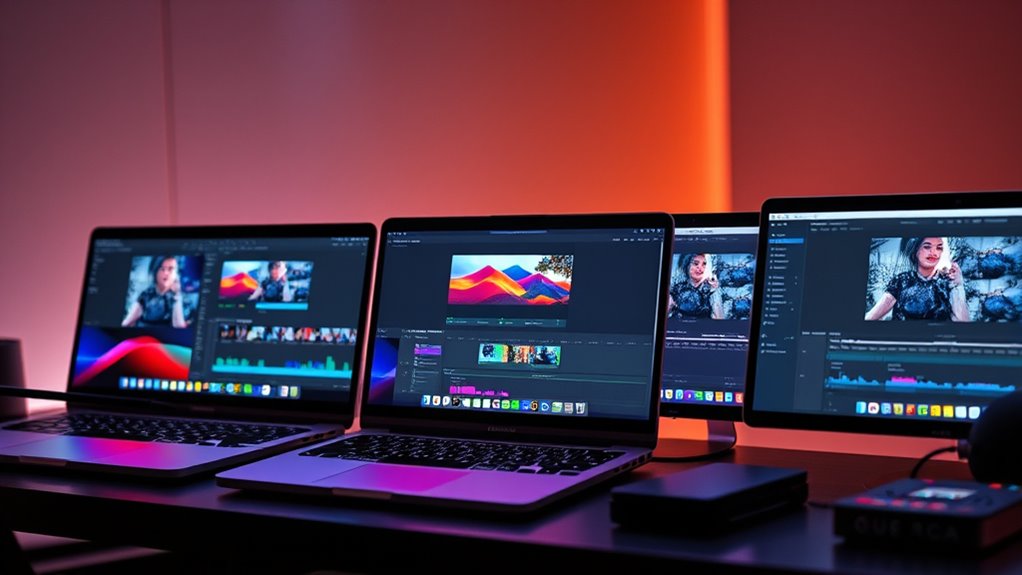

For most video editors, the 16-inch MacBook Pro with M5 Pro, 48GB memory, and a 1TB SSD is the strongest overall fit: it pairs a current-generation chip with room for demanding projects and a large editing display. The 14-inch M5 Max with 64GB memory and 2TB storage is the premium choice for heavy effects and large media libraries, while a renewed 16-inch M1 Pro with 32GB memory can suit buyers focused on value. The main tradeoffs are processing headroom versus portability, memory and storage capacity versus cost, and the uncertainty that comes with renewed hardware. This roundup compares all 10 configurations by editing workload, screen size, and upgrade headroom. Read on for the full breakdown and buying advice.

Get furniture and decor delivered free with Prime
- Fast, free delivery on millions of items
- Prime Video, Amazon Music and more included
- Member-only deals all year
Complete the kit


Key Takeaways
- The 16-inch M5 Pro with 48GB memory is the most balanced pick here for editors who want a current chip, generous memory, and a roomy built-in screen without stepping up to Max-class hardware.
- The 14-inch M5 Max with 64GB memory and 2TB SSD stands apart for demanding multi-layer projects and large local libraries, but it trades the 16-inch models’ workspace for portability.
- Memory capacity separates several otherwise similar choices: the 24GB M5 Pro and 16GB M5 configurations are better matched to lighter timelines than complex effects-heavy work.
- Renewed M1 Pro, M1 Max, M2 Max, and M4 Max models offer different ways to prioritize memory, graphics, or storage, but condition, battery health, and return coverage deserve extra scrutiny.
- Screen size is a workflow decision, not just a preference: the 16-inch models give more room for timelines and panels, while the 14-inch options are easier to carry between shoots and edit locations.





| macbook pro for video editing | Memory | Storage | Display | Processor |
|---|---|---|---|---|
| Apple MacBook Pro 16-inch | 32GB unified RAM | 512GB SSD | 16.2-inch Liquid Retina XDR, 3456 × 2234, 120Hz ProMotion | Apple M1 Pro, 10-core CPU |
| Apple 2024 MacBook Pro 16-inch | 48GB unified memory | 1TB SSD | 16-inch Liquid Retina XDR | Apple M4 Max |
| 2021 Apple MacBook Pro 16-inch | 64GB unified RAM | 2TB SSD | 16.2-inch Liquid Retina XDR | Apple M1 Max |
| Apple 16.2-inch MacBook Pro wi | 48GB unified memory | 1TB SSD | 16.2-inch Liquid Retina XDR | Apple M5 Pro, 18-core CPU |
| Apple MacBook Pro 16.2-inch wi | 24GB unified memory | 1TB SSD | 16.2-inch Liquid Retina XDR | Apple M5 Pro, 18-core CPU |
| Apple MacBook Pro 2023 with M2 | 32GB unified memory | 1TB SSD | 16.2-inch Liquid Retina XDR | Apple M2 Max, 12-core CPU |
| Apple 2024 MacBook Pro Laptop | 36GB | 1TB SSD | 16.2-inch Liquid Retina XDR | Apple M4 Max, 14-core CPU |
| Apple MacBook Pro 14.2-inch wi | 64GB unified memory | 2TB SSD | 14.2-inch Liquid Retina XDR | — |
| Apple 14.2-inch MacBook Pro wi | 16GB unified memory | 1TB SSD | 14.2-inch Liquid Retina XDR | Apple M5, 10-core CPU |
| Apple 14.2-inch MacBook Pro | 24GB unified memory | 1TB SSD | 14.2-inch Liquid Retina XDR | — |
More Details on Our Top Picks
Apple MacBook Pro 16-inch (2021) with M1 Pro, 32GB RAM, 512GB SSD, Space Gray (Renewed)
I’d pick this renewed 16-inch model for editors who want a roomy, color-rich screen and enough memory for demanding timelines without moving to the higher-tier Max chips. Its 32GB unified memory gives it more headroom for multitasking than the 24GB M5 Pro configuration, while the M1 Pro is an older generation than the M4 Max and M5 Pro options in this roundup. That makes it a better fit for established editing workloads than buyers chasing the newest processing features. The 512GB SSD is the main workflow constraint: camera originals and exports can quickly push projects onto external storage. The 120Hz Liquid Retina XDR display and six-speaker system are useful for reviewing footage, but renewed condition may be a poor match for buyers who want a new device.
Pros:- 32GB unified memory supports substantial multitasking and complex editing timelines.
- 16.2-inch Liquid Retina XDR display provides a large, high-resolution workspace.
- 120Hz ProMotion refresh rate makes scrolling and timeline navigation feel smoother.
- 1080p camera and six-speaker audio are useful for calls and media review.
Cons:- 512GB SSD can fill quickly with source footage, cache files, and exports.
- M1 Pro is an older chip generation than the M4 Max and M5 Pro models in this roundup.
- Renewed condition may not suit buyers seeking a new device or a predictable cosmetic condition.
Best for: Editors who want a large HDR-capable screen and 32GB memory for timeline work, and are comfortable keeping media on external drives.
Not ideal for: Editors who need a large internal project library or prefer a new Mac with a current-generation chip.
- Processor:Apple M1 Pro, 10-core CPU
- Graphics:16-core GPU
- Memory:32GB unified RAM
- Storage:512GB SSD
- Display:16.2-inch Liquid Retina XDR, 3456 × 2234, 120Hz ProMotion
- Camera:1080p FaceTime HD
- Condition:Renewed
- Color:Space Gray
Our verdict“Choose this renewed M1 Pro if a large screen and 32GB memory matter more than newer chip features or generous built-in storage.”
Apple 2024 MacBook Pro 16-inch with M4 Max Chip, 48GB RAM, 1TB SSD, Space Black (Renewed)
For editors working with demanding effects, high-resolution footage, or several creative apps at once, this M4 Max with 48GB RAM is the performance-led choice among these 16-inch options. It pairs substantially more memory and a newer Max chip with twice the listed storage of the M1 Pro model, making active projects easier to keep on the laptop. Compared with the 2021 M1 Max configuration, it has a newer processor generation, though that older model offers 64GB RAM and 2TB SSD—a meaningful advantage for projects that need capacity more than newer hardware. The Liquid Retina XDR screen and built-in HDMI and SDXC slot help simplify a mobile editing setup. The tradeoffs are its large form factor and renewed status, which may bring warranty or condition uncertainty.
Pros:- M4 Max chip is suited to demanding creative and professional workloads.
- 48GB unified memory supports heavy multitasking and complex projects.
- 1TB SSD offers more working space than the 512GB M1 Pro configuration.
- HDMI and SDXC card slot reduce the need for adapters in editing setups.
Cons:- Renewed condition may involve limited warranty coverage or cosmetic variation.
- The 16-inch chassis is less convenient to carry than the 14-inch models in the wider roundup.
- The 2021 M1 Max option has more listed memory and storage for capacity-focused workflows.
Best for: Professional editors handling effects-heavy or high-resolution projects who want a current-generation Max chip, 48GB memory, and built-in card and display connections.
Not ideal for: Editors who prioritize maximum internal storage and memory over a newer chip, or buyers who want a new laptop with clearly defined warranty coverage.
- Processor:Apple M4 Max
- Display:16-inch Liquid Retina XDR
- Memory:48GB unified memory
- Storage:1TB SSD
- Connectivity:MagSafe, HDMI, SDXC card slot, Thunderbolt ports
- Keyboard:QWERTY English Magic Keyboard with Touch ID
- Color:Space Black
- Condition:Renewed
Our verdict“Choose this renewed M4 Max for newer high-end processing and a balanced 48GB-and-1TB setup, but favor the 2021 M1 Max if capacity is your priority.”
2021 Apple MacBook Pro 16-inch with M1 Max Chip, 64GB RAM, 2TB SSD, Space Grey (Renewed)
This renewed 2021 configuration stands out for editors who need room for both demanding timelines and a substantial media library: 64GB unified memory and a 2TB SSD are the largest listed capacities among the first five picks. That makes it a stronger capacity-focused choice than the M4 Max model’s 48GB and 1TB, even though the M4 Max belongs to a newer chip generation. The M1 Max and Liquid Retina XDR display remain aimed at professional creative work, while HDMI, SDXC, and three Thunderbolt 4 ports give editors practical options for cards, displays, and fast external storage. This is not the pick for buyers seeking the latest silicon or a lighter carry. Its integrated memory and storage cannot be expanded later, and renewed condition adds another point to weigh.
Pros:- 64GB unified memory provides substantial headroom for demanding multitasking.
- 2TB SSD accommodates more active footage and project files than the 1TB alternatives.
- M1 Max chip is designed for professional creative workloads.
- Thunderbolt 4, HDMI, SDXC, and MagSafe 3 support a flexible editing desk setup.
Cons:- M1 Max is an older generation than the M4 Max and M5 Pro configurations.
- The 16-inch chassis is heavy and less suited to frequent travel.
- Renewed condition and integrated components may concern buyers seeking a new, upgradeable system.
Best for: Editors with large footage libraries or memory-heavy projects who want generous built-in capacity and multiple direct connections.
Not ideal for: Buyers who want the newest chip generation, a new-device condition, or a lighter laptop for frequent travel.
- Processor:Apple M1 Max
- Display:16.2-inch Liquid Retina XDR
- Memory:64GB unified RAM
- Storage:2TB SSD
- Ports:Three Thunderbolt 4, HDMI, SDXC card slot, MagSafe 3, 3.5mm headphone jack
- Color:Space Grey
- Condition:Renewed
Our verdict“Pick this renewed M1 Max when 64GB memory and 2TB of built-in storage matter more than having a newer chip.”
Apple 16.2-inch MacBook Pro with M5 Pro, 18-core CPU, 20-core GPU, 48GB Memory, and 1TB SSD
I rank this M5 Pro configuration first for editors who want a current-generation 16-inch system with a strong mix of memory, graphics, and practical connections. Its 48GB unified memory and 1TB SSD give working projects room to breathe, while the 18-core CPU and 20-core GPU target demanding creative work. Compared with the renewed M4 Max, this model has a newer listed chip generation and Thunderbolt 5, but the supplied data does not establish that it will outperform the M4 Max in every editing task. It also weighs 4.71 pounds, so the large screen comes with a real carrying burden. Wi-Fi 7, a 12MP Center Stage camera, and broad port selection round out a polished work setup; battery runtime is not specified in the product data.
Pros:- M5 Pro pairs an 18-core CPU with a 20-core GPU for demanding creative workflows.
- 48GB unified memory and a 1TB SSD provide a balanced base for active projects.
- Thunderbolt 5, HDMI, SDXC, and MagSafe 3 support a versatile editing setup.
- 12MP Center Stage camera and Wi-Fi 7 add useful conferencing and wireless features.
Cons:- At 4.71 pounds, it is a substantial load for frequent travel.
- The supplied product data does not state a specific battery runtime.
- The renewed M1 Max option provides more listed memory and storage for capacity-heavy work.
Best for: Professional editors seeking a current-generation 16-inch MacBook Pro with 48GB memory, 1TB storage, and direct connections for cards and external displays.
Not ideal for: Travel-focused editors who want a lighter machine, or buyers who need a stated battery runtime before choosing.
- Processor:Apple M5 Pro, 18-core CPU
- Graphics:20-core GPU
- Memory:48GB unified memory
- Storage:1TB SSD
- Display:16.2-inch Liquid Retina XDR
- Wireless:Wi-Fi 7, Bluetooth 6
- Ports:Three Thunderbolt 5, MagSafe 3, SDXC, HDMI, headphone jack
- Weight:4.71 pounds
Our verdict“Choose this M5 Pro as a well-balanced current-generation editing workstation if its weight suits your routine and you do not need more than 1TB built in.”
Apple MacBook Pro 16.2-inch with M5 Pro, 18-core CPU, 20-core GPU, 24GB Memory, 1TB SSD, Wi-Fi 7 – Space Black
This configuration keeps the same listed M5 Pro 18-core CPU and 20-core GPU as the 48GB version, but cuts unified memory to 24GB. For editors whose work is centered on a few active applications and moderate project sizes, that trade can preserve the newer chip platform, 1TB SSD, and 16.2-inch XDR display without paying for memory they may not use. Compared with the 48GB M5 Pro model, it gives up headroom for large timelines, heavy effects, and simultaneous creative apps; I’d choose the higher-memory version for those workloads. The broad port selection, Wi-Fi 7, and 12MP Center Stage camera keep it capable as a desk-based editing machine. The product data lists no specific battery runtime, so battery comparisons remain uncertain.
Pros:- M5 Pro includes an 18-core CPU and 20-core GPU, matching the listed chip configuration of the 48GB model.
- 1TB SSD offers useful room for current projects and media.
- 16.2-inch Liquid Retina XDR display provides a large editing workspace.
- Thunderbolt 5, HDMI, SDXC, and MagSafe 3 support a capable peripheral setup.
Cons:- 24GB unified memory offers less headroom than the 48GB M5 Pro configuration for demanding timelines.
- The 16-inch size is less convenient for editors who carry a laptop every day.
- The supplied product data does not state a specific battery runtime.
Best for: Editors working on moderate-resolution projects who want an M5 Pro, 1TB storage, and a large display without needing 48GB of memory.
Not ideal for: Editors handling large, effects-heavy timelines or running several memory-intensive creative applications at once; the 48GB M5 Pro model offers more headroom.
- Processor:Apple M5 Pro, 18-core CPU
- Graphics:20-core GPU
- Memory:24GB unified memory
- Storage:1TB SSD
- Display:16.2-inch Liquid Retina XDR
- Wireless:Wi-Fi 7, Bluetooth 6
- Camera:12MP Center Stage
- Ports:Three Thunderbolt 5, MagSafe 3, SDXC card slot, HDMI, headphone jack
Our verdict“Choose this 24GB M5 Pro for moderate editing workloads, but step up to the 48GB version if complex timelines or heavy multitasking are routine.”
Apple MacBook Pro 2023 with M2 Max Chip (16-inch, 32GB RAM, 1TB SSD) Silver (Renewed)
The 16.2-inch Liquid Retina XDR display gives editors more room to arrange a timeline and preview footage than the 14.2-inch M5 models here. Its M2 Max chip and 32GB of unified memory suit demanding editing projects, while the SDXC slot and HDMI make it easier to connect cameras and external screens without relying on extra adapters. Compared with the newer renewed 16-inch M4 Max, this model has less memory and an older chip, so it is harder to recommend for buyers chasing the highest performance or longer-term headroom. The tradeoff is its useful large-screen, pro-focused setup in a renewed machine: warranty coverage and cosmetic condition can vary, and the 16-inch chassis is cumbersome for frequent travel.
Pros:- 16.2-inch Liquid Retina XDR display provides a roomy workspace for timelines and preview windows
- M2 Max with up to 38 GPU cores is suited to demanding video workflows
- 32GB unified memory supports multitasking across editing and creative applications
- SDXC, HDMI, and three Thunderbolt 4 ports offer flexible media and display connections
Cons:- Renewed condition can mean cosmetic wear or less predictable warranty coverage
- Older M2 Max chip trails the M4 Max and M5 Max options in this lineup
- Large, heavy 16-inch design is less convenient for mobile editing
Best for: Video editors who want a large built-in timeline workspace, 32GB of memory, and direct camera-card connectivity in a renewed MacBook Pro.
Not ideal for: Editors who regularly carry their laptop between locations or need the newer performance and memory headroom of the 16-inch M4 Max.
- Processor:Apple M2 Max, 12-core CPU
- GPU:Up to 38 cores
- Memory:32GB unified memory
- Storage:1TB SSD
- Display:16.2-inch Liquid Retina XDR
- Battery life:Up to 22 hours
- Ports:MagSafe, three Thunderbolt 4, SDXC, HDMI, headphone jack
- Camera and audio:1080p FaceTime HD camera; six-speaker system with Spatial Audio
Our verdict“Choose this renewed 16-inch model for its spacious editing display and capable M2 Max, but pick a newer Max model for more performance headroom.”
Apple 2024 MacBook Pro Laptop with M4 Max, 14-core CPU, 32-core GPU, 16.2-inch Liquid Retina XDR Display, 36GB RAM, 1TB SSD, Space Black (Renewed)
This 16.2-inch M4 Max is the stronger renewed choice for editors who need substantial chip performance without stepping back to the M2 Max in the 2023 model. Its 36GB of memory gives complex timelines and multiple creative apps more working room than the 32GB M2 Max option, while the large XDR display keeps detailed footage and editing panels comfortably visible. Three Thunderbolt 5 ports, SDXC, and HDMI also make a well-connected workstation easier to assemble. Compared with the 14.2-inch M5 Max, this model gives you a larger screen but less memory and an older generation of chip. Renewed status adds uncertainty around warranty and condition, and the 16-inch body is a poor fit for editors who prize portability.
Pros:- M4 Max combines a 14-core CPU with a 32-core GPU for demanding editing work
- 36GB of memory offers more headroom than the 32GB M2 Max model
- Large 16.2-inch Liquid Retina XDR display suits timeline-heavy work
- Thunderbolt 5, SDXC, and HDMI provide a useful range of connections
Cons:- Renewed status may bring cosmetic wear or less predictable warranty coverage
- The 16-inch chassis is bulky for editors who travel frequently
- The 14.2-inch M5 Max offers a newer chip and more memory
Best for: Editors seeking a large-screen MacBook Pro with a high-performance Max chip and enough memory for demanding projects, who are comfortable buying renewed.
Not ideal for: Buyers who want the latest Max generation, 64GB of memory, a compact laptop, or the predictability of a new product.
- Processor:Apple M4 Max, 14-core CPU
- GPU:32-core GPU
- Memory:36GB
- Storage:1TB SSD
- Display:16.2-inch Liquid Retina XDR
- Ports:Three Thunderbolt 5, MagSafe 3, SDXC, HDMI, headphone jack
- Battery life:All-day
- Color:Space Black
Our verdict“Pick this if you want a large-screen M4 Max editing machine in renewed condition, but choose the M5 Max for newer hardware and more memory.”
Apple MacBook Pro 14.2-inch with M5 Max, 18-Core CPU, 40-Core GPU, 64GB Memory, 2TB SSD, Silver
For editors who need serious processing capacity but do not want a 16-inch laptop, this 14.2-inch M5 Max is the most capable compact pick in this group. Its 40-core GPU, 64GB of unified memory, and 2TB SSD give demanding projects and large media libraries more headroom than the M4 Max with 36GB or either standard M5 configuration. Support for up to four external displays can also make it a strong mobile workstation when docked. The compromise is the smaller built-in canvas: the 16.2-inch M4 Max provides more space for editing directly on the laptop. This model’s premium-tier configuration is best suited to workloads that can use its extra resources, rather than routine cuts and lightweight projects.
Pros:- M5 Max with 18-core CPU and 40-core GPU is built for demanding creative workloads
- 64GB unified memory provides substantial headroom for complex projects and multitasking
- 2TB SSD offers more built-in space for active footage than the 1TB models
- Supports up to four external displays while retaining a 14.2-inch form
Cons:- 14.2-inch screen gives less built-in timeline space than the 16.2-inch models
- Its extensive performance and memory may be unnecessary for basic editing workflows
Best for: Professional editors handling complex timelines, large media libraries, or intensive multitasking who need a powerful 14-inch laptop and multi-display support.
Not ideal for: Editors working mainly on straightforward projects who would benefit more from the larger built-in screen of a 16-inch MacBook Pro.
- Chip:Apple M5 Max
- CPU:18-core
- GPU:40-core
- Memory:64GB unified memory
- Storage:2TB SSD
- Display:14.2-inch Liquid Retina XDR
- Ports:Three Thunderbolt 5, MagSafe 3, SDXC, HDMI, headphone jack
- External displays:Up to four
- Wireless:Wi-Fi 7, Bluetooth 6
Our verdict“Choose this 14-inch M5 Max for demanding work and a high-capacity mobile setup, or the 16-inch M4 Max if screen space matters more.”
Apple 14.2-inch MacBook Pro with M5 chip, 16GB unified memory, and 1TB SSD, Space Black
This standard M5 MacBook Pro is a sensible fit for editors whose work centers on routine cuts, short-form video, and manageable project sizes rather than heavy effects or layered 4K timelines. The 14.2-inch Liquid Retina XDR display offers a compact, high-contrast workspace, while the SDXC slot, HDMI, and three Thunderbolt 4 ports simplify camera transfers and external-monitor setups. Compared with the 24GB M5 model in this lineup, its 16GB of unified memory leaves less room for large projects and several apps open at once. The 1TB SSD provides useful local storage, but memory is the bigger limitation for editors planning to grow into more demanding work. It supports up to two external displays, fewer than the M5 Max.
Pros:- M5 chip with 10-core CPU and 10-core GPU suits everyday editing workloads
- Liquid Retina XDR display provides a bright, high-contrast preview
- 1TB SSD provides local room for active projects
- SDXC, HDMI, and three Thunderbolt 4 ports support practical editing setups
Cons:- 16GB unified memory gives less headroom than the 24GB M5 model
- Supports up to two external displays, fewer than the M5 Max option
Best for: Students, independent creators, and editors working on short videos or moderate projects who want an XDR display and built-in media ports.
Not ideal for: Editors regularly handling complex timelines, effects-heavy footage, or large multitasking sessions who would benefit from 24GB or more memory.
- Processor:Apple M5, 10-core CPU
- GPU:10-core GPU
- Memory:16GB unified memory
- Storage:1TB SSD
- Display:14.2-inch Liquid Retina XDR
- Display brightness:Up to 1600 nits peak; up to 1000 nits sustained
- Ports:Three Thunderbolt 4, MagSafe 3, SDXC, HDMI, headphone jack
- External displays:Up to two
- Camera:12MP Center Stage
Our verdict“Choose this M5 model for everyday video editing and a compact XDR workstation, but step up to 24GB memory for larger projects.”
Apple 14.2-inch MacBook Pro (2025) with M5 chip, 24GB memory, 1TB SSD, Silver
For editors who want a standard-chip MacBook Pro with more breathing room than the 16GB version, this 24GB M5 configuration is the more flexible choice. That extra memory can help when editing while keeping browser tabs, audio tools, or other creative apps open, while the 1TB SSD provides local room for active footage. Its 14.2-inch Liquid Retina XDR display and built-in SDXC and HDMI ports make it a capable compact editing station. Compared with the 16GB M5 model, it is better suited to growing projects; compared with the 64GB M5 Max, it has far less memory and graphics capacity for intensive workloads. Editors also need to weigh its 14-inch workspace against the larger screen on the 16-inch options.
Pros:- 24GB unified memory offers more editing and multitasking headroom than the 16GB M5 model
- M5 chip with 10-core CPU and 10-core GPU supports everyday creative workflows
- Liquid Retina XDR display reaches up to 1600 nits peak brightness
- SDXC, HDMI, and three Thunderbolt 4 ports simplify camera and display connections
Cons:- Standard M5 chip has less GPU capacity than the M5 Max for demanding effects work
- 14.2-inch display offers less editing space than the 16.2-inch models
- Supports up to two external displays
Best for: Independent editors and content creators who want a compact M5 MacBook Pro with more memory headroom for multitasking and moderately demanding projects.
Not ideal for: Professionals working with effects-heavy timelines, large video files, or workloads that can make use of the M5 Max’s 64GB memory and stronger GPU.
- Chip:Apple M5
- CPU:10-core
- GPU:10-core
- Memory:24GB unified memory
- Storage:1TB SSD
- Display:14.2-inch Liquid Retina XDR
- Brightness and contrast:Up to 1600 nits peak; up to 1000 nits sustained; 1,000,000:1 contrast ratio
- Ports:Three Thunderbolt 4, MagSafe 3, SDXC, HDMI, headphone jack
- External displays:Up to two
Our verdict“Pick this 24GB M5 model for a compact, versatile editing laptop, but choose the M5 Max for intensive projects that need more graphics and memory capacity.”

How We Picked
I ranked these MacBook Pro configurations around the demands of video editing rather than chip names alone. My main criteria were processor and graphics headroom for exports and effects, unified memory for high-resolution and layered timelines, internal SSD capacity for active media, and display size for working directly on the laptop. I also weighed portability and how well each configuration fits a distinct editing workload.
The order favors balanced systems that can handle demanding projects without relying on the highest-spec chip, followed by specialized premium and portable picks, then older or lower-memory configurations. Renewed models are judged by their listed hardware, but they carry a separate condition and battery-health caveat that new configurations do not. Since real workloads vary by codec, software, and project settings, I treat these recommendations as relative fits rather than guarantees of editing speed.
| macbook pro for video editing | Ports |
|---|---|
| Apple MacBook Pro 16-inch | — |
| Apple 2024 MacBook Pro 16-inch | — |
| 2021 Apple MacBook Pro 16-inch | Three Thunderbolt 4, HDMI, SDXC card slot, MagSafe 3, 3.5mm headphone jack |
| Apple 16.2-inch MacBook Pro wi | Three Thunderbolt 5, MagSafe 3, SDXC, HDMI, headphone jack |
| Apple MacBook Pro 16.2-inch wi | Three Thunderbolt 5, MagSafe 3, SDXC card slot, HDMI, headphone jack |
| Apple MacBook Pro 2023 with M2 | MagSafe, three Thunderbolt 4, SDXC, HDMI, headphone jack |
| Apple 2024 MacBook Pro Laptop | Three Thunderbolt 5, MagSafe 3, SDXC, HDMI, headphone jack |
| Apple MacBook Pro 14.2-inch wi | Three Thunderbolt 5, MagSafe 3, SDXC, HDMI, headphone jack |
| Apple 14.2-inch MacBook Pro wi | Three Thunderbolt 4, MagSafe 3, SDXC, HDMI, headphone jack |
| Apple 14.2-inch MacBook Pro | Three Thunderbolt 4, MagSafe 3, SDXC, HDMI, headphone jack |
Factors to Consider When Choosing Macbook Pro For Video Editing
Choosing a MacBook Pro for video editing is less about buying the newest chip and more about matching the whole configuration to your footage, software, and work habits. These broader checks can help you avoid paying for capacity you will not use—or running out of headroom after your projects grow.
Match Memory to Timeline Complexity
Memory affects how comfortably a laptop can keep footage, effects, and other applications active during an edit. A basic single-camera timeline may run well on a lower-memory configuration, while high-resolution footage, multiple video layers, noise reduction, and motion graphics can call for more headroom. Do not use resolution alone as your guide: codec efficiency, frame rate, effects, and the editing application all shape memory needs. If you routinely keep several creative apps open, allow for that workload too. Because unified memory is not a later add-on, choose for the projects you expect to edit over the computer’s useful life, not only your current workload.
Choose a Chip for Your Effects and Export Work
More CPU and GPU capability can help with effects-heavy timelines, graphics work, and time-sensitive exports, but it does not make every editing task faster. Some playback limits come from the footage codec, storage, or software support rather than raw chip capacity. A Pro-tier system is a sensible starting point for many editors; Max-tier hardware makes more sense when your projects regularly lean on GPU effects or you need greater graphics headroom. Check performance for your actual editing applications and codecs before paying for the largest chip. The fastest configuration is poor value if your work is mostly cuts, titles, and occasional exports.
Treat SSD Capacity as Active-Project Space
The internal SSD needs room for the operating system, applications, cache files, proxies, and the project you are actively editing—not just the final export. Video libraries can grow quickly, so a 1TB drive may feel cramped when several jobs overlap or footage is stored locally. External SSDs can expand capacity, but they add cables and another device to manage, and they may not suit every mobile workflow. Keep archival footage on separate storage and retain enough internal free space for cache and working files. Before selecting a smaller drive, estimate the size of a typical project folder, including source media and intermediate files.
Decide Whether 14 Inches Is Enough Workspace
A 14-inch MacBook Pro is easier to carry to a shoot or between workspaces, while a 16-inch screen gives more room for the timeline, preview, and editing panels at once. Screen size affects comfort and how often you need to rearrange windows; it does not change the quality of your editing decisions. If you edit mainly at a desk, an external display can make a compact laptop a practical choice. If you work on trains, on location, or without a monitor, the built-in display becomes more central to the decision. Think about the full setup you will actually use rather than comparing screen dimensions in isolation.
Evaluate Renewed Models Beyond Their Specifications
A renewed MacBook Pro can provide strong hardware, but its listed chip, memory, and storage do not tell you the state of the battery or the history of the unit. Check the seller’s return window, warranty terms, battery condition disclosures, and what is included before buying. Confirm the exact model year and configuration; similar-looking listings can differ substantially in memory and storage. Older chips may still fit many editing workflows, but they have less runway for future software support than current-generation models. The savings only make sense if the condition terms and configuration match your needs.
Plan for Color, Ports, and the Rest of Your Setup
Editing comfort depends on more than compute: screen quality, external display support, storage connections, and audio accessories all shape a working setup. If color-critical delivery matters, check the display workflow you need and plan to calibrate or use a reference monitor where appropriate. List your cards, drives, audio interfaces, and monitors before choosing a portable setup, then confirm whether you will need adapters or a dock. Wi-Fi generation can help with compatible network workflows, but it will not replace local transfer speed or a reliable backup plan. Budget attention for backups as well as hardware; a fast laptop cannot recover footage that exists in only one place.
Frequently Asked Questions
Is a renewed M1 Pro MacBook Pro still a reasonable video-editing choice?
It can be a reasonable fit for editing standard projects, especially if the configuration has 32GB memory and your software supports the formats you use. The older chip is less compelling for demanding effects work than the newer M5 Pro and Max options in this roundup. A renewed unit also calls for extra checks on battery condition, warranty, and return terms. Compare the full configuration rather than assuming all M1 Pro models have the same capacity. Choose it when its condition and capabilities fit your workload, not just because it has a Pro label.
Should I choose the M5 Pro with 48GB memory or the M5 Max with 64GB?
The 48GB M5 Pro is the more balanced choice for many editors who want current-generation performance and ample memory without prioritizing the highest graphics tier. The 64GB M5 Max better suits workflows with demanding GPU effects, complex timelines, or heavier multitasking. More memory and graphics capacity will not automatically improve every export; codecs and software can be just as influential. Also compare screen size and SSD capacity, since the M5 Max configuration here is a 14-inch model with a 2TB drive. Pick the Max when your projects can use its extra headroom, not merely to own the higher tier.
Is 16GB or 24GB of memory enough for video editing?
Either can work for lighter editing, short projects, and modest timelines, but both leave less headroom than the 32GB-or-higher configurations in this roundup. The 24GB M5 models offer a more comfortable starting point than the 16GB configuration for multitasking and more involved edits. High-resolution footage, multiple layers, effects, and background applications can all increase memory pressure. If you edit professionally or expect projects to become more complex, compare the higher-memory options before committing. Since unified memory cannot be expanded later, avoid choosing by minimum requirements alone.
Should I buy a 14-inch or 16-inch MacBook Pro for editing?
Choose the 14-inch size if you regularly carry your laptop to shoots, travel, or edit in spaces where a larger machine is inconvenient. The 16-inch screen is more comfortable for long sessions when the laptop itself is your main display, especially with timelines and panels open together. An external monitor can reduce the workspace gap at a desk, but it adds equipment and limits the flexibility of a fully mobile setup. Compare the specific configurations too: the strongest chip is not automatically the best fit if the screen size does not suit your routine. Let your working environment decide the size.
Can I edit video from an external SSD instead of buying a larger internal drive?
Yes, an external SSD can hold source footage and active projects, helping keep the laptop’s internal storage available for applications, caches, and working files. It is a practical way to manage libraries that exceed the internal drive, but it adds a device to carry, connect, and back up. Check that the drive and connection suit the footage and editing workflow you use. Keep a separate backup rather than treating one external drive as both workspace and archive. If you often edit away from a desk, more internal capacity can make the setup simpler.
Conclusion
For the broadest mix of current hardware, editing headroom, and workspace, I recommend the 16-inch M5 Pro with 48GB memory as the best overall choice. The best value depends on the condition and terms of the renewed listing, but the 16-inch M1 Pro with 32GB memory is the most approachable older configuration here for buyers with moderate workloads. For a best premium pick, choose the 14-inch M5 Max with 64GB memory and 2TB SSD when demanding graphics work and local storage matter more than screen size. Beginners who edit lighter projects can start with an M5 configuration, with 24GB memory offering more room to grow than 16GB. For specific needs, pick a 16-inch model for a built-in editing workspace, or an M4 Max renewed system if you want a higher graphics tier and are comfortable checking renewed-condition details. Match the final choice to your footage, portability needs, and project storage plan.
Fall Picks
fall essentials
As an affiliate, we earn on qualifying purchases.