
TL;DR
Smart home automation devices connect lights, thermostats, locks, sensors, and appliances to apps, hubs, voice assistants, or schedules so they can respond automatically. Start with one routine, check platform and outage support before buying, and keep physical controls available. Matter can improve cross-brand compatibility, but you should still verify the features each device supports.
A light that switches on as you come through the front door feels like a small bit of magic—until the Wi-Fi drops and you’re standing in the dark. Smart home automation devices can make daily routines easier, but the best setups also work when the app or internet connection doesn’t.

Get furniture and decor delivered free with Prime
- Fast, free delivery on millions of items
- Prime Video, Amazon Music and more included
- Member-only deals all year
This guide explains what these devices do, how they connect, and where compatibility, privacy, subscriptions, and outages can catch you by surprise. You’ll also get a practical way to start small, whether you rent a studio or manage a busy family home.
Think of a useful smart home as a set of dependable routines, not a pile of gadgets. A motion sensor that gently lights a hallway at night may earn its place faster than a dozen devices you only control from your phone.
Choose a device to solve a specific repeated problem, then build one routine around it.
Check supported platforms and features; Wi-Fi, Zigbee, Thread, or Matter labels alone do not promise full compatibility.
Find out which functions work locally during an internet outage and keep physical overrides for essential equipment.
Review data collection, update history, account security, subscription costs, and long-term support before buying.
Treat energy savings as dependent on your home and habits, and verify wiring work with a licensed professional.
What smart home devices can do beyond answering to an app
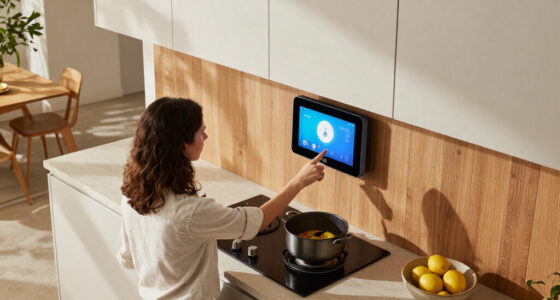
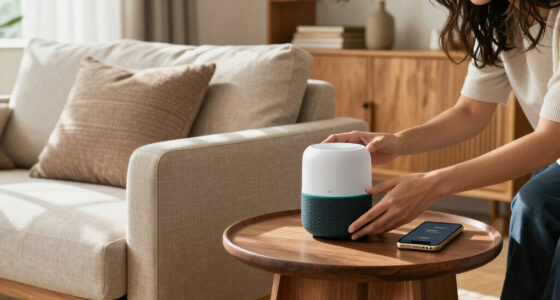
Smart home automation devices connect household equipment to apps, voice assistants, sensors, schedules, or hubs so you can monitor it or have it respond automatically. A smart bulb controlled from your phone is connected; a bulb that turns on when a motion sensor detects you is automated. That difference matters because automation can save repeated taps and help your home respond while your hands are full.
Common categories include lighting, climate, security, energy, appliances, and hubs. For example, a thermostat can follow a weekday schedule, while a leak sensor can send an alert if water gathers beneath a washing machine. A robot vacuum might start when everyone leaves, though that routine depends on location access and a reliable connection.
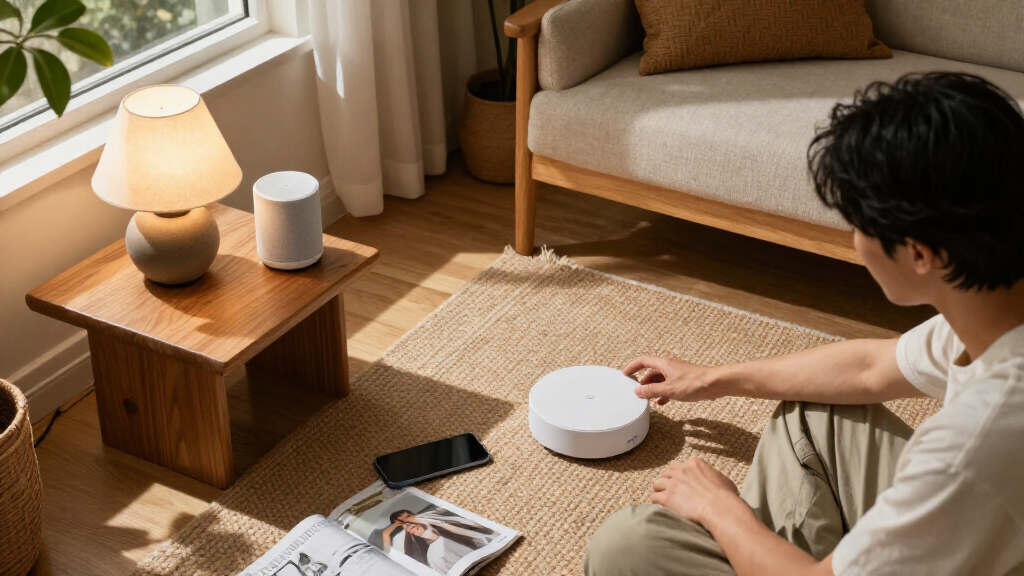
What makes a device “smart”? In practice, it can exchange information and act on a command or condition. You might connect household equipment to apps for setup, then use a schedule so the porch light turns on at sunset. Some products also coordinate locally through a hub, which can let a sensor trigger a light without waiting for a cloud service.
Start by naming a small irritation you want to fix. If you often carry groceries through a dark entry, an automatic light is a clearer first purchase than a complex whole-home system. Once you know the problem, the device category—and the routine you need—becomes easier to choose.
Products Worth Considering

Levoit Vital 200S-P Smart Air Purifier for Large Rooms (Up to 1875 sq ft)

Samsung 55-Inch S90H OLED 4K UHD Smart TV Bundle with Full-Motion Mount and Surge Protector

Bose SoundTouch 10 Wireless Speaker, Black
As an affiliate, we earn on qualifying purchases.
How to build your first useful automation in five steps
Build your first smart home automation around one everyday task, then add only the devices and permissions that task needs. A simple hallway light routine can use one motion sensor and a compatible bulb or switch; it does not need a camera, location tracking, or a subscription. One reliable routine teaches you more than a drawer full of gadgets.
- Pick a repeat problem. For example, you forget the porch light when you leave for work.
- Choose a trigger. A schedule can switch it on at sunset; a sensor can respond to movement.
- Check compatibility. Confirm the device works with your phone platform or hub and supports the feature you want.
- Set a sensible response. A hallway light might dim overnight instead of shining at full brightness.
- Test the fallback. Try the physical switch and check what happens if internet access fails.
Imagine a renter using a plug-in lamp and a motion sensor in a dim entry. They can set the light to stay on for two minutes after movement, then adjust it if the dog keeps triggering it at midnight. That small test reveals whether the sensor’s placement and timing suit the space.
Automation should make the ordinary moment easier, not create a new chore. Keep a manual override for lights, heating, alarms, and locks, and check that a routine won’t leave you guessing when a sensor battery runs out. If electrical installation requires changing fixed wiring, use a licensed professional and follow local code and permit rules; switch off power and use proper safety precautions only when the work is within your skills and legally permitted.
How to check whether devices from different brands will work together
Devices from different brands work together only when their connection method, platform support, and required features line up. Wi-Fi, Bluetooth, Thread, Zigbee, and Z-Wave describe ways devices communicate; a shared radio protocol alone does not promise a shared app or compatible automation. Check the product’s supported platforms and the exact functions you plan to use before buying.
| Connection or standard | What it can mean for you | What to verify |
|---|---|---|
| Wi-Fi | Often connects directly to your home network | Coverage, router capacity, and outage behavior |
| Bluetooth | Can work nearby during setup or direct control | Range and whether a hub is needed remotely |
| Thread | Low-power mesh networking for supported devices | Whether your platform has a Thread border router |
| Zigbee or Z-Wave | Often uses a hub to coordinate compatible devices | Hub support and product compatibility |
| Matter | Designed to make compatible devices easier to use across ecosystems | Supported features, platform, and software version |
Matter can improve interoperability, but it does not guarantee every feature behaves identically in every ecosystem. A smart bulb may turn on and off across platforms while a manufacturer’s special color scenes remain available only in its own app. A hub can bridge some connections, but it cannot make every product compatible by itself.
For instance, before pairing a Thread sensor with a voice assistant, check whether your setup includes the required Thread border router and whether the assistant supports the sensor’s feature. Keep a short list of your chosen platform, hub, and must-have functions. That list is more useful than choosing devices by brand name alone.
How to keep smart devices useful when the internet goes down
Some smart home devices keep core functions running locally during an internet outage, while others rely on a manufacturer’s cloud service. Local control can make a motion-triggered light respond quickly even if your broadband stops; cloud-dependent routines may pause until the connection returns. Outage behavior varies by product, so check it before you rely on a device for access, heat, alarms, or water control.
Wi-Fi coverage also matters. A camera at the far end of a house may buffer or disconnect where a phone still shows a faint signal. A well-placed access point or mesh Wi-Fi system can help Wi-Fi equipment, while low-power mesh protocols such as Thread can help supported devices communicate across a larger home.
Picture a winter evening when your internet provider has an outage. You still need to unlock the front door, switch on a lamp, and keep the heating at a safe setting. Before buying, ask whether the lock has a keypad or physical key, whether the thermostat retains its schedule, and whether the light still works at its wall switch.
Plan the fallback before the failure. Keep a physical key where you can reach it, label unusual switches, and avoid making a cloud-only routine the sole way to control essential equipment. For a leak sensor, a local audible alert can still help when a phone notification cannot reach you. These small backups turn a connected home into a more dependable one.
What to check before you trust a camera, lock, or voice assistant
Smart home privacy depends on both the company that makes a device and the choices you make at home. Cameras, microphones, and location-based routines can collect video, voice, account, usage, or location data. Check what data a device collects, how the company uses it, and whether important features require an account or paid cloud storage.
Use a unique, strong password for your smart home account and turn on multifactor authentication when the service offers it. Look for encrypted connections and a clear software update record. These steps cannot fix every flaw in a product, but they reduce the chance that a guessed or reused password opens the front door to your account.
Placement matters as much as settings. A camera aimed at your front path may show deliveries without recording a neighbor’s windows; a voice assistant in a shared bedroom raises different privacy questions. For a family, it helps to agree on who can view footage and when cameras should stop recording.
Consider a household that uses a smart lock to let a cleaner in on Tuesdays. Give that person a time-limited code if the lock supports it, then remove access when the arrangement ends. Keep a physical key or another entry method available, and review alerts for unexpected access. The more sensitive the job, the more carefully you should check security, update support, and failure behavior.
How to estimate the real cost and energy savings
The cost of a smart home includes more than the sticker price: add hubs, batteries, network upgrades, subscriptions, replacements, and long-term support. A basic smart plug may be inexpensive, while camera video storage or professional monitoring can bring recurring charges. Check the total cost over time before you build a routine around a paid feature.
Energy savings depend on your home, utility rates, habits, and settings; a smart device does not guarantee a smaller bill. A thermostat may reduce heating when you’re away, but savings vary if you already use a careful schedule or live in a poorly insulated home. A smart plug can reveal how much a desk lamp draws, though switching it off will save little if it uses very little power to begin with.
For example, a household might use a smart plug to track an old space heater. The readings could show that the heater runs for many hours, prompting a change in habits or a check of the room’s insulation. The device offers useful information, but the savings come from what the household changes afterward.
Accessibility and upkeep belong in the cost calculation too. Automatic lighting and voice control can help someone with limited mobility, while a clear physical switch offers a dependable backup for everyone. Before purchase, check battery life, replacement availability, app support, and the manufacturer’s stated software support. A device that keeps working after its app changes can be worth more than a bargain gadget tied to a short-lived cloud service.
Frequently Asked Questions
Do smart home devices need Wi-Fi or a hub?
Some Wi-Fi devices connect directly to your router, while others use Bluetooth, Thread, Zigbee, or Z-Wave and may need a hub or compatible controller. Check the product requirements and whether remote control or automation depends on internet access.
Will devices from different brands work together?
Often, but you need to check each product’s supported platforms and features. Matter is designed to improve cross-platform support, though a feature available in one manufacturer’s app may not appear in every ecosystem.
Can smart home devices work without internet access?
Some devices keep local control or schedules during an outage; others depend on a cloud service. Check the specific product’s offline behavior and keep physical controls for essentials such as locks, lights, and heating.
Can smart devices reduce electricity bills?
They can help you monitor or manage energy use, but savings depend on your home, utility rates, habits, and settings. A thermostat or plug gives you tools and information; the changes you make determine whether your bill falls.
Are smart locks and cameras safe to use?
They can be safer to manage when you use a unique password, multifactor authentication, current software, and careful camera placement. Keep a backup way to enter your home and review who has access to codes or video.
Conclusion
Choose your first device by the daily annoyance you want to remove, then check compatibility, privacy, cost, and outage behavior before you buy. Keep a manual way to control anything that affects entry, heat, alarms, or water.
A good smart home doesn’t need to announce itself. It’s the hallway that glows softly when your hands are full—and still has a switch you can reach when the network goes quiet.